





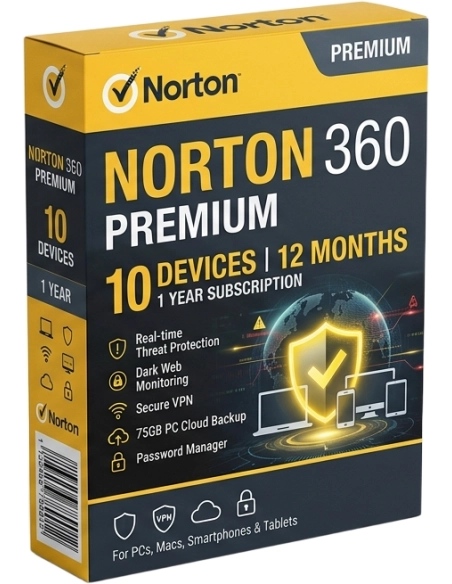





Norton 360 Premium — protection for 10 devices for 12 months. VPN, identity protection, 75 GB of cloud backup.
Norton 360 Premium is an advanced digital protection suite for large families and home offices, protecting up to 10 devices simultaneously for 12 months. In addition to a complete antivirus toolkit, unlimited VPN, password manager, and parental controls, Premium also includes basic identity protection and 75 GB of cloud backup. When you buy an activation key from Licensier, you receive an original license at a competitive price, delivered by email within 5 minutes of payment confirmation.
Norton 360 Premium is designed for individuals and families with multiple devices who need both antivirus protection and digital identity security. Ten device slots are enough to protect the entire household’s PCs, laptops, smartphones, and tablets, including children’s devices. Basic identity protection monitors your personal data and alerts you if it is used in suspicious activity.
Norton 360 Premium is ideal for large families (4 to 5 people), home offices, and users with many devices. A typical setup includes 2 to 3 PCs/laptops, 3 to 4 smartphones, and a tablet, for a total of 8 to 10 devices under one license. Basic identity protection makes Premium the first Norton package that goes beyond traditional antivirus protection toward securing your entire digital identity.
Compared to Norton 360 Deluxe for 5 devices, Premium offers twice as many protected devices (10 vs 5), more backup storage (75 GB vs 50 GB), and basic identity protection. If you are looking for the highest level of protection with full identity protection, credit monitoring, and social media monitoring, consider Norton 360 Advanced — Norton’s flagship product with 200 GB of backup and identity recovery assistance.
Norton 360 Premium is the only antivirus suite in this class that combines protection for 10 devices with basic identity protection in a single license. Competing packages such as McAfee+ Premium, Bitdefender Premium Security, and Kaspersky Premium offer a similar number of device slots, but rarely include identity monitoring and unlimited VPN in one package. Norton also stands out with priority technical support and 75 GB of cloud backup, which is among the highest values in the industry.
You are purchasing a digital Norton 360 Premium activation key valid for 12 months on 10 devices. We deliver the license key by email within 5 minutes of payment confirmation. Install Norton on the first device at my.norton.com, then add more devices at any time from the central dashboard. Each device receives full, independent protection. You can send the installation link to each family member by email so they can install Norton on their own device. Step-by-step installation instructions are included. The subscription includes full Norton technical support throughout the entire license period.
Premium protects 10 devices instead of 3 or 5 in Deluxe, offers 75 GB of backup instead of 25 or 50 GB, and adds basic identity protection with personal data monitoring and alerts for suspicious use. Parental controls, VPN, and the password manager are included in both versions.
What does basic identity protection include?Basic identity protection includes extended dark web monitoring, alerts about personal data breaches (passwords, email addresses, phone numbers, and financial details), and security notifications when your data is detected in suspicious databases. It provides early warning against identity theft, although it does not include full identity recovery support or credit monitoring, which are available in the Advanced version.
Is Norton 360 Premium suitable for a small business?Norton 360 Premium is a consumer solution, but it is perfectly suited for home offices, freelancers, and micro-businesses with up to 10 devices. For larger companies, Norton offers separate business solutions with centralized fleet management, reporting, and advanced security policies.
How do I transfer the license to a new device?In the my.norton.com dashboard, click \u201cManage Devices\u201d, disconnect the old device, and add the new one. You do not need to buy a new license — you can freely rotate devices within the 10-device limit. The process takes just a few clicks and does not require contacting support.
Podatki
Norton 360 Premium — protection for 10 devices for 12 months. VPN, identity protection, 75 GB of cloud backup.