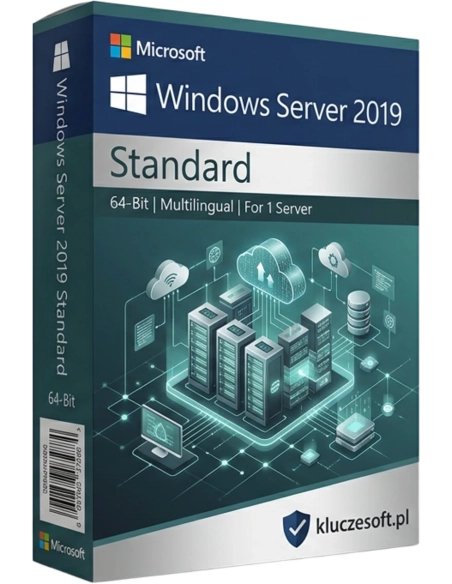




Microsoft Windows Server 2019 Standard 16 Core est le système d’exploitation serveur le plus récent de Microsoft, conçu pour fonctionner dans le cloud. La création et la gestion de réseaux informatiques, le traitement des données ou l’hébergement Web ne sont que কিছু des applications de ce système serveur.
Plateforme serveur moderne avec sécurité renforcée et intégration Azure
 16 cœurs physiques
  ️ Hybrid Cloud Ready
  Livraison instantanée
Windows Server 2019 Standard représente l’évolution d’une plateforme serveur éprouvée, associant la fiabilité de la version précédente à de nouvelles capacités : sécurité renforcée avec Windows Defender ATP, intégration au cloud Azure et prise en charge des conteneurs Linux. La licence pour 16 cœurs physiques couvre un processeur serveur standard. C’est le choix idéal pour les entreprises qui souhaitent acheter une clé de licence Windows Server 2019 Standard pas cher pour Active Directory, l’hébergement d’applications, un serveur de fichiers et une virtualisation Hyper-V de base avec 2 machines virtuelles.
 IIS / Serveur Web
 ️Windows Defender ATP
Exécutez SQL Server, Exchange, SharePoint ou une application .NET sur une plateforme offrant une sécurité et des performances améliorées par rapport à Server 2016.
️Intégration native avec Azure : Azure Backup, Azure Site Recovery et Azure File Sync. Étendez votre infrastructure locale vers le cloud sans migration complète.

Prise en charge native des conteneurs Windows et Linux sur un même hôte. Images de conteneurs Server Core et Nano Server plus légères, déploiement plus rapide.
Gestion des utilisateurs, des groupes, des stratégies GPO et des certificats. Audit renforcé et meilleure surveillance des événements de sécurité.
️Protection avancée contre les menaces intégrée au système. Détection des attaques, analyse comportementale, réponse automatique aux incidents et intégration avec Azure Security Center.
Exécutez des conteneurs Linux aux côtés de conteneurs Windows sur un même hôte. Compatible avec Kubernetes, Docker Compose et l’orchestration de conteneurs mixtes.
️Azure File Sync, Azure Backup, Azure Site Recovery et Azure Network Adapter. Étendez votre infrastructure locale vers le cloud Azure sans migration complète.
Virtualisation avec prise en charge de 2 machines virtuelles. Nouveautés : compatibilité des versions de VM, Live Migration optimisée et prise en charge de la mémoire persistante.
Nouvel outil permettant de migrer facilement des données depuis d’anciens serveurs, y compris Windows Server 2003. Transfert des fichiers, des autorisations et des partages réseau.
Console d’administration serveur moderne et web. Remplace les outils MMC traditionnels et permet une gestion via navigateur depuis n’importe où.
Analyse prédictive intégrée basée sur le machine learning. Prévision de l’utilisation des ressources (CPU, mémoire, disque, réseau) et alertes proactives avant les incidents.
Cluster Sets permet de regrouper plusieurs clusters en un seul cluster logique. Migration des VM entre clusters, meilleure résilience et montée en charge simplifiée.
Windows Server 2019 est un excellent compromis entre prix et fonctionnalités. Il apporte des améliorations majeures par rapport à Server 2016 : Windows Defender ATP, conteneurs Linux, Storage Migration Service et intégration Azure, tout en restant plus abordable que le récent Server 2022.
Licensier fournit des clés de licence originales Windows Server 2019 Standard 16 Core avec livraison instantanée par voie numérique. Chaque clé de licence garantit une activation complète du système, avec l’assistance technique de notre équipe pour l’installation et la configuration. Vous recevez une licence originale, une facture TTC et un service fiable pour acheter en toute sécurité.
Le support étendu Microsoft est assuré jusqu’au 9 janvier 2029, ce qui vous garantit encore de nombreuses années de mises à jour de sécurité et de stabilité. C’est un investissement pertinent pour les entreprises qui n’ont pas besoin des dernières fonctionnalités de Server 2022/2025, mais recherchent une plateforme serveur moderne, sécurisée et performante.
| Version du système | Windows Server 2019 Standard |
| Licence par cœurs | 16 cœurs physiques (minimum 8 par processeur) |
| Mémoire RAM maximale | 24 TB |
| Droits de virtualisation | 2 VM avec Windows Server |
| Licences d’accès (CAL) | Requises — User CAL ou Device CAL (vendues séparément) |
| Hyper-V | Oui |
| Conteneurs Linux | Oui (nouveauté de 2019) |
| Windows Defender ATP | Oui (nouveauté de 2019) |
| Storage Migration Service | Oui (nouveauté de 2019) |
| Storage Spaces Direct | Non (disponible en édition Datacenter) |
| Architecture | 64 bits (x64) |
| Langue | Multilingue |
Server 2019 constitue le meilleur équilibre : sécurité renforcée avec Defender ATP, conteneurs Linux, intégration Azure et Storage Migration Service à un tarif accessible. Server 2016 est moins cher, mais ne propose pas les fonctionnalités cloud modernes ni les conteneurs Linux. Server 2022 ajoute TLS 1.3, Secured-Core, un Hyper-V amélioré et une meilleure intégration avec Azure Arc, mais à un prix plus élevé. Pour la majorité des entreprises, Server 2019 offre le meilleur rapport qualité-prix.
Votre clé de produit vous est envoyée sous quelques minutes après validation du paiement
Server 2019 ajoute : Windows Defender ATP pour une protection avancée, les conteneurs Linux natifs, Storage Migration Service, System Insights pour l’analyse prédictive, l’intégration Azure (File Sync, Backup), Windows Admin Center et des clusters améliorés avec Cluster Sets. Il s’agit d’une avancée majeure en matière de sécurité et de fonctionnalités.
Le pack 16 Core couvre un processeur disposant de 16 cœurs maximum. La plupart des serveurs utilisés dans les PME sont équipés de 1 à 2 processeurs de 8 à 16 cœurs. Pour un serveur avec 2 processeurs, vous devez prévoir 2 packs de licences.
Le support étendu Microsoft est assuré jusqu’au 9 janvier 2029. Jusqu’à cette date, le système bénéficie de mises à jour de sécurité régulières. Après cette échéance, des Extended Security Updates (ESU) resteront disponibles en option payante.
Oui, Server 2019 prend en charge nativement les conteneurs Windows et Linux. Vous pouvez installer Docker, Docker Compose et Kubernetes. Les images de conteneurs Server Core et Nano Server sont nettement plus légères que sous Server 2016.
Windows Admin Center est un outil gratuit d’administration web permettant de gérer vos serveurs depuis un navigateur. Il remplace les consoles MMC traditionnelles et offre une interface moderne pour la supervision, la configuration et le diagnostic, accessible depuis n’importe quel poste du réseau.
Oui, Windows Server 2019 Standard nécessite des licences d’accès client (CAL) pour chaque utilisateur ou appareil. Les licences CAL sont vendues séparément : choisissez User CAL par utilisateur ou Device CAL par appareil.
Oui, vous pouvez effectuer une mise à niveau in-place de Server 2016 vers Server 2019. Vous pouvez également utiliser Storage Migration Service pour transférer les données depuis un ancien serveur vers un nouveau serveur sous Server 2019.
La licence Standard donne droit à 2 machines virtuelles Windows Server sur un même hôte physique. Pour un plus grand nombre de VM, envisagez l’édition Datacenter avec VM illimitées ou l’achat de licences Standard supplémentaires.

 ️
️
Fiche technique
Microsoft Windows Server 2019 Standard 16 Core est le système d’exploitation serveur le plus récent de Microsoft, conçu pour fonctionner dans le cloud. La création et la gestion de réseaux informatiques, le traitement des données ou l’hébergement Web ne sont que কিছু des applications de ce système serveur.