- Currently out of stock
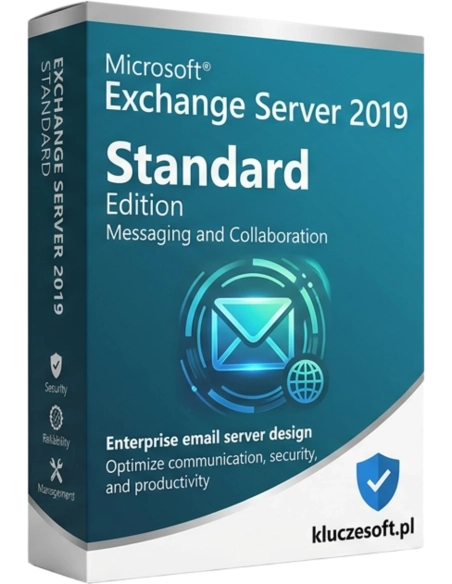



Microsoft Exchange Server 2019 Standard provides a reliable environment for email management. It offers modern data protection features, advanced search capabilities, and integration with Microsoft 365. Its performance optimization and ease of administration make it an ideal solution for organizations requiring a stable and secure communication system.
Professional mail server platform with advanced calendaring, compliance, and data protection
 Up to 5 mailbox databases
  Compliance and eDiscovery
  Instant delivery
Exchange Server 2019 Standard is the latest version of Microsoft’s leading on-premises email platform. It delivers advanced email, calendar, contacts, and collaboration features with complete control over your data. The Standard edition supports up to 5 mounted mailbox databases, making it ideal for small and medium-sized businesses (up to approximately 1,000 users). Built-in compliance tools, eDiscovery, and Data Loss Prevention help ensure regulatory compliance and GDPR readiness. Buy an original license for a secure, professional messaging environment with instant delivery and a VAT invoice.
Professional email management with Outlook Web App (OWA), ActiveSync for mobile devices, MAPI over HTTP, and POP3/IMAP4. Mailbox size up to 100 GB per user. Built-in transport rules, aliases, distribution lists, and dynamic groups. Full compatibility with Outlook 2016–2024.
Shared calendars with free/busy visibility, meeting scheduling with room booking assistance, calendar delegation, and resource management for conference rooms and equipment. Resource Booking Attendant automatically accepts or declines reservations based on defined rules.
Built-in regulatory compliance tools: In-Place Hold for legal preservation, eDiscovery Search for mailbox investigations, Retention Policies, and Journaling for email archiving. Essential for organisations operating under legal, financial, or GDPR requirements.
Automatic detection and blocking of sensitive data transmission such as national ID numbers, credit card details, and medical information in email messages. Includes built-in DLP templates for European regulations. Transport rules can encrypt, block, or warn users before sending confidential information.
Database Availability Groups (DAG) provide automatic replication of mailbox databases between servers. If one server fails, another can automatically take over mailbox services with no downtime and no data loss. The Standard edition supports up to 5 databases in a DAG.
Outlook Web App in the 2019 release offers an experience close to the full Outlook client, including drag-and-drop support, inline images, Focused Inbox, and intelligent search. ActiveSync synchronises mail, calendars, and contacts with iOS, Android, and Windows Phone devices without extra configuration.
Optimised storage engine with SSD metacache for faster access to frequently used data. Supports high-memory servers up to 256 GB RAM and high-capacity storage. Includes built-in network traffic management and load balancing for multi-server environments.
Exchange 2019 supports hybrid deployment with Microsoft 365, allowing you to migrate mailboxes gradually to the cloud while maintaining coexistence between on-premises and online environments. Shared Global Address List, shared free/busy visibility, and seamless mailbox moves between environments are all supported.
Licensier offers original Exchange Server 2019 Standard licenses at highly competitive wholesale pricing, well below standard Microsoft retail prices. Every license key is verified and covered by an activation guarantee. For businesses that require full control over email data for GDPR or industry compliance, on-premises Exchange remains the gold standard. Choose a cheap yet fully original license with instant delivery and a VAT invoice.
Please note: the server license is only part of the requirement. You also need a CAL (Client Access License) for every user or device connecting to the server. We offer both Exchange Server CAL Standard and Enterprise licenses. Contact us for a complete licensing offer tailored to your organisation.
| Product | Microsoft Exchange Server 2019 Standard |
| License type | Perpetual — server |
| Mailbox databases | Up to 5 (mounted) |
| Mailbox size | Up to 100 GB per user |
| Database Availability Groups | Yes |
| DLP / eDiscovery | Yes |
| Outlook Web App | Yes (full version) |
| ActiveSync | Yes |
| Protocols | MAPI/HTTP, EWS, POP3, IMAP4, SMTP |
| Required OS | Windows Server 2019 Standard/Datacenter |
| Required CALs | Yes — Exchange Server CAL (Standard or Enterprise) |
| Hybrid deployment | Yes (with Microsoft 365) |
| Extended support | Until 14 October 2025 |
| Delivery format | Electronic — product key by email |
The main difference is the number of mailbox databases: Standard supports up to 5 mounted databases, while Enterprise supports up to 100. For organisations with approximately 500 to 1,000 users, 5 databases are usually sufficient. Enterprise is recommended for larger deployments that require multiple databases for segmentation, such as separate databases for departments or locations, or for intensive use of In-Place Archive. Compliance features including DLP, eDiscovery, and retention are identical in both editions.
Instant electronic deliveryYour product key will be sent by email within minutes after payment confirmation
Yes — Exchange Server requires a server license (this product) plus a CAL for every user or device connecting to the server. Exchange CAL Standard provides access to email, calendar, and contacts. Exchange CAL Enterprise is an additional license that unlocks advanced features such as In-Place Archive, DLP policies, and advanced compliance search. CAL licenses are available in our store.
Exchange Server 2019 requires Windows Server 2019 Standard or Datacenter with Desktop Experience, not Server Core. Windows Server 2016 and earlier are not supported. Active Directory Domain Services must be available in the same domain or forest. The Exchange server should not be installed on a domain controller.
The Standard license does not directly limit the number of users — the limitation applies to 5 mailbox databases. A single database can store hundreds of mailboxes, so 5 databases can typically support approximately 500 to 1,500 users depending on mailbox size. For larger environments or more advanced segmentation, the Enterprise edition with up to 100 databases is the better choice.
Yes — Exchange 2019 is fully compatible with Outlook for Mac 2016 and newer, including Outlook for Mac included with Microsoft 365. It also supports Apple Mail through EWS and IMAP protocols. Outlook Web App (OWA) works in Safari, Chrome, and Firefox on macOS without limitations.
Hybrid deployment allows you to keep mailboxes both on-premises with Exchange 2019 and in the cloud with Exchange Online / M365. Users see a shared address book, can check free/busy status, and can book rooms regardless of mailbox location. Hybrid Configuration Wizard automates the setup. You can migrate mailboxes to the cloud gradually.
Yes — migration from Exchange 2013 SP1 or 2016 is fully supported. Use the coexistence method: install Exchange 2019 alongside the existing server, move mailboxes with Move-MailboxRequest, and redirect traffic. Direct migration from Exchange 2010 is not possible — an intermediate migration through 2013 or 2016 is required.
Exchange 2019 requires an SSL/TLS certificate for secure communication. A SAN (Subject Alternative Name) certificate is recommended with names such as mail.company.com and autodiscover.company.com. Self-signed certificates work internally, but for Internet access you need a certificate from a public CA such as Let's Encrypt or DigiCert. Exchange supports TLS 1.2 and 1.3.
Mainstream Support ended on 9 January 2024. Extended Support runs until 14 October 2025. After that date, Exchange 2019 will continue to work, but it will no longer receive new updates. Microsoft plans Exchange Server SE (Subscription Edition) as the successor, and organisations using Exchange 2019 will be able to migrate. Security updates remain available until the end of Extended Support.

 ️
️
Data sheet
Microsoft Exchange Server 2019 Standard provides a reliable environment for email management. It offers modern data protection features, advanced search capabilities, and integration with Microsoft 365. Its performance optimization and ease of administration make it an ideal solution for organizations requiring a stable and secure communication system.