- Out-of-Stock
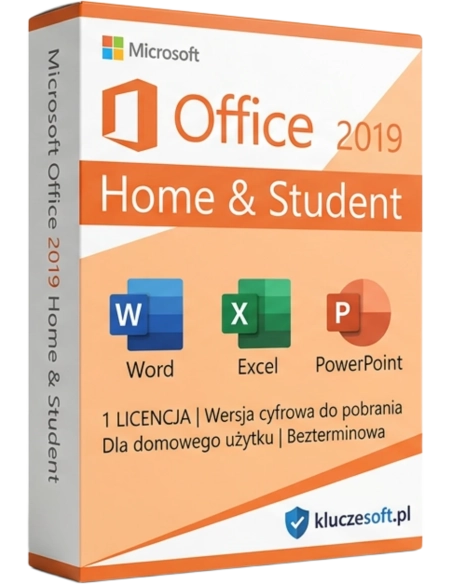




Many of us need reliable tools for work to edit texts, analyze data, create more comprehensive presentations, and organize daily responsibilities. Microsoft Office 2019 for home users and students is a comprehensive solution that combines reliability, functionality, and ease of use.
Essential Office suite for home and education — Word, Excel and PowerPoint at the best price
 For students
  For home use
  Lifetime license
  Instant delivery
Microsoft Office 2019 Home & Student is the most affordable edition of Office 2019 with a lifetime license. It includes three essential applications — Word, Excel and PowerPoint — everything you need to write documents, create spreadsheets and prepare presentations. It is the ideal choice for pupils, students, parents and anyone who needs a basic office suite for home and educational use. Please note: this license does not permit commercial use. If you plan to use Office for business, choose the Home & Business or Professional edition.
Write essays and dissertations in Word, analyse project data in Excel and create semester presentations in PowerPoint. A professional study suite at a cheap price.
Write CVs and cover letters in Word, manage your household budget in Excel and create photo albums in PowerPoint. Essential office tools without unnecessary extras.

One purchase for the family home PC. Children can do homework while parents prepare documents — Word, Excel and PowerPoint cover the essential needs of every household member.
The lowest price among Office 2019 suites with a lifetime license. If you do not need Outlook or a commercial license, Home & Student offers the best value for money.

A professional word processor for essays, CVs, cover letters and personal documents. Automatic spell check in Polish, document templates, heading styles and PDF export.
Create spreadsheets for household budgeting, expense planning, grade tracking and data analysis. Charts, pivot tables, mathematical formulas, statistical functions and data sorting are all included.
Create impressive presentations for classes, thesis defences and meetings. Includes themed templates, animations, slide transitions, video and image insertion, plus export to video format.
Office 2019 introduces a refreshed interface with a new colour palette, updated icons and improved accessibility. The ribbon is clearer, and drawing tools support digital pens.
Draw, highlight and take notes directly in Word documents, Excel spreadsheets and PowerPoint slides using a stylus. Digital Ink features include handwriting recognition and text conversion.
Full Polish language support: interface, spell check and grammar check, thesaurus and autocorrect. All Polish diacritical characters (ą, ę, ś, ć, ź, ż, ó, ł, ń) are supported natively.
 ️
️One-time purchase with no subscription. Office 2019 Home & Student works permanently — buy once and use it for years with no additional fees. This is not a subscription like Microsoft 365.
Three applications instead of six or seven — the suite takes up less disk space and uses fewer system resources. Ideal for older computers and laptops with limited RAM.
If you need a basic office suite for home or school and do not want to pay for features you will not use, such as Outlook, Access or Publisher, Office 2019 Home & Student is the optimal choice. It includes the three most important applications — Word, Excel and PowerPoint — at a price significantly lower than the Professional or Home & Business editions.
For students and pupils, this is an especially attractive option. Instead of paying every month for a Microsoft 365 Personal subscription, around €70 per year, you can buy a lifetime license with a one-time payment. The suite will support you throughout your studies and beyond, with no annual renewals required. Word with full Polish proofing tools is invaluable for academic writing.
At Licensier, you buy an original Microsoft activation key at a cheap price from a premium European retailer. Instant delivery by email means you can install Office today. Our support team will assist you with activation if needed. We guarantee successful activation of every original license key on Microsoft servers, and we issue a VAT invoice for every order.
| Applications | Word, Excel, PowerPoint |
| License type | Lifetime (one-time payment, no subscription) |
| Commercial use | No — for home and educational use only |
| Number of devices | 1 PC |
| Platform | Windows 10 / Windows 11 |
| Architecture | 32-bit and 64-bit |
| Microsoft account | Required for activation |
| Internet | Required for activation and download |
| Disk space | Min. 4 GB free space |
| RAM | Min. 4 GB (8 GB recommended) |
| Processor | Min. 1.6 GHz, 2 cores |
| Language | Multilingual (including Polish) |
| Technical support | Security updates until 14 October 2025 |
Office 2019 Home & Student includes Word, Excel and PowerPoint — it is the essential suite for home and education at the lowest price. It does not include Outlook and is not licensed for commercial use. Office 2019 Home & Business adds Outlook and OneNote, plus a commercial license, so you can legally use the suite in a business environment. If you only need Word, Excel and PowerPoint for personal or educational purposes, Home & Student is more than sufficient and helps you save money. If, however, you plan to use Office for professional work or need an email client, choose Home & Business.
You will receive your product key within minutes after payment is confirmed
No, Office 2019 Home & Student does not include Outlook. The suite contains Word, Excel and PowerPoint only. If you need Microsoft Outlook as an email client, choose the Home & Business or Professional edition. You can still use the free web-based version at Outlook.com through your browser without any additional license.
No, the Office 2019 Home & Student license is intended exclusively for home and educational use. Using it in a company, office or for commercial activity is not compliant with Microsoft licensing terms. If you need Office for professional work, choose Home & Business, which includes Outlook and a commercial license, or Professional, which also includes Access and Publisher.
Office 2019 Home & Student is a lifetime license. You pay once and use the suite without any time limit — there are no monthly or annual fees. This is the key difference compared with Microsoft 365 Personal, which requires an ongoing subscription. For students, a perpetual original license is especially cost-effective over several years of study.
Yes, the suite is fully compatible with Windows 10 and Windows 11. Microsoft officially supports Office 2019 on both platforms. Whether you have an older laptop with Windows 10 or a newer PC with Windows 11, Office 2019 Home & Student will install and run without issues.
Office 2019 Home & Student is a one-time purchase, while Microsoft 365 Personal costs around €70 per year. If you plan to use Office for 2 to 3 years, for example during your studies, the lifetime license for Office 2019 is the cheaper solution. Microsoft 365 only makes sense if you need 1 TB of OneDrive cloud storage and the latest AI features.
OneNote is not formally part of Office 2019 Home & Student, but it is available as a free app from the Microsoft Store. You can install OneNote at no cost regardless of which Office suite you own — Microsoft provides it free of charge to all Windows users.
One Office 2019 Home & Student activation key is intended for activation on one PC. If your household has two computers, you will need two license keys. The key is linked to your Microsoft account, so if you replace your computer, you can transfer the license by deactivating it on the old device.
Absolutely. Word in Office 2019 Home & Student is a professional word processor used by universities worldwide. It supports automatic tables of contents, bibliographies, footnotes, page numbering, APA and Chicago formatting, and track changes. Polish dictionary and grammar checking are built in. It is an ideal tool for writing undergraduate, master's and doctoral theses.
We send your activation key to your email address within minutes after payment has been confirmed. Delivery is fully digital, so there is no physical shipping to wait for. You can download, install and activate Office 2019 Home & Student the same day, often just minutes after purchase.
Office 2021 Home & Student is a newer version with several additional features, including XLOOKUP and dynamic arrays in Excel, improved Morph transitions in PowerPoint and a refreshed user interface. Office 2019 is slightly older, but it includes the same three applications — Word, Excel and PowerPoint — with functionality that is sufficient for the vast majority of home users and students. The main advantage of Office 2019 is its lower price.
 ️
️
Data sheet
Specific References
Many of us need reliable tools for work to edit texts, analyze data, create more comprehensive presentations, and organize daily responsibilities. Microsoft Office 2019 for home users and students is a comprehensive solution that combines reliability, functionality, and ease of use.