- Out-of-Stock
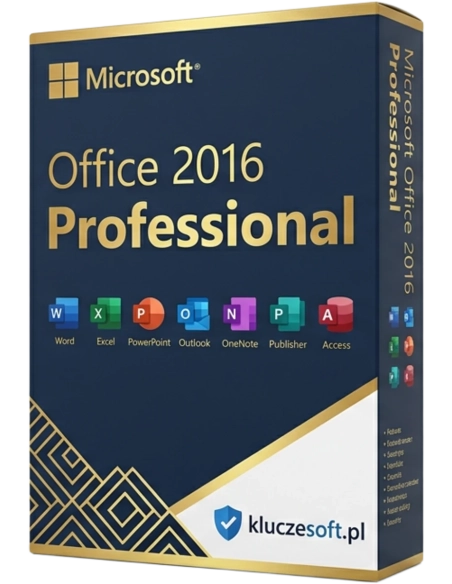



Create serial letters or labels, manage business figures in spreadsheets, design captivating presentations, and keep an eye on your inbox and meeting schedules. Microsoft Office 16 supports you in all professional and personal projects and helps you achieve an attractive result.
Advanced Office suite with Access and Publisher — seven applications for professional office work
 Lifetime license
  Instant delivery
  7 applications included
Microsoft Office 2016 Professional is a comprehensive productivity suite that, in addition to the standard tools — Word, Excel, PowerPoint and Outlook — also includes Access for database creation, Publisher for designing marketing materials, and OneNote for organising notes. It is a complete solution for businesses that need advanced tools for data management and professional publication design. A lifetime license means a one-time payment — no subscription, no hidden costs.

A complete set of office tools — from documents and spreadsheets to customer databases and promotional materials. Everything under one license key with no recurring costs.

Access for building relational databases, Excel for analysis and visualisation. The combination of both applications enables advanced business reporting.
Publisher for creating flyers, brochures, business cards and newsletters. Professional DTP templates without the need for expensive graphic design software.
Run your business with one suite — contracts in Word, accounting in Excel, customer databases in Access, advertising materials in Publisher, and email in Outlook.

Create contracts, quotations, reports and business correspondence with advanced formatting. Mail merge, track changes, co-author comments and PDF export are all included. Business-ready document templates help you work faster.
Advanced spreadsheets with pivot tables, Power Pivot and new chart types. VBA macros, conditional formatting, data validation and import from external sources. An essential tool for finance and analytics.
Create impressive presentations for management, clients and partners. Morph transitions, animations, business templates, video insertion and narration recording are included. Export to MP4 and share online with ease.
Create relational databases without programming — for customer records, inventory, orders and reports. Input forms, SQL queries, printable reports and Excel integration are all included. A powerful tool not available in cheaper Office editions.
Design flyers, brochures, business cards, newsletters, posters and product catalogues. Hundreds of professional templates, typography tools and export for print (CMYK) or PDF. Easier to use than InDesign or CorelDRAW.
Manage multiple email accounts, meeting calendars, contacts and tasks. Exchange integration, automatic rules, company signatures and S/MIME encryption support professional business communication.
 ️
️A one-time payment for seven full-featured applications. No monthly subscriptions, no automatic renewals. Your Office 2016 Professional license key works for life — outstanding value for money.
 ️
️Password-encrypted documents, digital signatures, password protection for Access databases, secured Excel sheets and restricted editing in Word documents. Multi-layer protection for critical business information.
Licensier is a trusted supplier of original Microsoft license keys in Europe. Every Office 2016 Professional key comes from authorised distribution channels and enables one-time activation directly through your Microsoft account. We guarantee full activation of all seven applications — Word, Excel, PowerPoint, Outlook, Access, Publisher and OneNote. If your key does not work, we will replace it or issue a full refund.
The Professional edition offers one of the best feature-to-price ratios in the Office 2016 range. With a one-time payment, you get access to Access and Publisher, which in Microsoft 365 require a Business Premium plan. A lifetime license removes recurring costs — you pay once and never have to worry about office software fees again.
Delivery is instant — your product key will be sent by email within minutes of purchase. Our technical support team can assist with installation, activation and configuration of all seven applications. We also support Access configuration with existing databases and Publisher setup with company templates.
| Applications | Word, Excel, PowerPoint, Outlook, Access, Publisher, OneNote |
| License type | Lifetime (one-time payment) |
| Number of devices | 1 PC |
| Platform | Windows 7 / Windows 8.1 / Windows 10 |
| Architecture | 32-bit and 64-bit |
| Microsoft account | Required for activation |
| Internet | Required for activation and download |
| Disk space | Min. 3 GB of free space |
| RAM | Min. 2 GB (4 GB recommended) |
| Language | Multilingual (including Polish) |
Office 2016 Professional includes Word, Excel, PowerPoint, Outlook, Access, Publisher and OneNote — a complete suite for small and medium-sized businesses. Office 2016 Professional Plus additionally includes Skype for Business — a tool for video conferencing, chat and team collaboration. If your company already uses Teams or another communication platform, the Professional edition will be more than sufficient and is cheaper. If you need an integrated communication platform as part of the Office suite, choose Professional Plus. For users who do not need Access or Publisher, Home & Business offers the essential five applications at a lower price.
You will receive your product key within minutes after payment is completed
Office 2016 Professional adds two extra applications: Access for creating and managing databases, and Publisher for designing DTP materials such as flyers, brochures and business cards. If you need to manage customer records, inventory or create marketing materials, the Professional edition is the right choice.
Yes, all keys at Licensier are original Microsoft licenses intended for one-time activation. You activate the key directly on the Microsoft website at office.com/setup. We guarantee activation or your money back — no unnecessary questions.
Yes, Access 2016 is a fully featured database tool used by thousands of companies. It is ideal for customer records, inventory management, order tracking and report creation. For small and medium-sized businesses, Access is a simpler alternative to server-based databases such as SQL Server.
Officially, Office 2016 is supported on Windows 7, 8.1 and 10. It usually works correctly on Windows 11, but Microsoft does not provide full technical support. If you use Windows 11 and need officially supported compatibility, consider Office 2019 or 2021.
The Office 2016 Professional installer installs all seven applications at the same time. Selective installation of individual programs is not available. All applications together take up around 3 GB of disk space. You can simply leave unused applications unopened.
Office 2016 Professional is a lifetime license — you pay once and use it without limitations. Microsoft 365 is a subscription with monthly or yearly payments. Microsoft 365 offers the latest application versions and 1 TB of OneDrive cloud storage, but after a few years the cost is significantly higher than a perpetual license. For businesses that value stability and predictable costs, Professional is the better choice.
Publisher 2016 is an excellent tool for basic and mid-level DTP projects such as flyers, brochures, business cards, newsletters and posters. For most small businesses, Publisher is more than sufficient. However, it will not replace Adobe InDesign for advanced typography or complex multi-page book publications.
The license is linked to your Microsoft account. If you replace your hardware, you can deactivate Office on the old computer and reactivate it on the new one by signing in with the same Microsoft account at account.microsoft.com.
You enter the key at office.com/setup after signing in to your Microsoft account. You can also enter it during installation when prompted by the software. Activation takes place online via Microsoft servers and usually takes just a few seconds.
Extended support for Office 2016 ended in October 2025. The suite remains fully functional, but Microsoft no longer releases new patches. All seven applications continue to work reliably — only the latest security updates are no longer provided.
️
Data sheet
Specific References
Create serial letters or labels, manage business figures in spreadsheets, design captivating presentations, and keep an eye on your inbox and meeting schedules. Microsoft Office 16 supports you in all professional and personal projects and helps you achieve an attractive result.