- Out-of-Stock
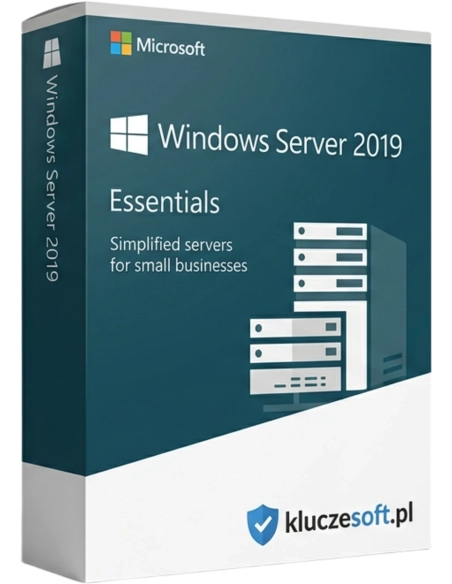




Windows Server 2019 Essentials is a system designed for organizations with no more than 25 users and 50 devices. The software facilitates the implementation of any organizational growth strategy - it is an operating system that connects on-premises IT environments with Azure services, enabling the use of hybrid scenarios and ensuring the maximum return on existing investments.
A compact server for small businesses — up to 25 users, no CALs required, with Azure integration
 Up to 25 users
  No CALs required
  ️ Azure Ready
Windows Server 2019 Essentials combines simple setup with the modern capabilities of Server 2019. It supports up to 25 users and 50 devices without the need to buy additional CAL licenses. Compared to Essentials 2016, it offers stronger security with Windows Defender, Azure integration, and technical support through 2029. It is the optimal server solution for small businesses, medical practices, law firms, and startups looking to buy an original license key with instant delivery.
 Remote Access️Azure Sync
 ️Windows Defender
A complete server without extra CAL license costs. Manage users, files, and backups from an intuitive dashboard.
Secure document storage, centralized access management, and automatic backups for critical business data.
️Integration with Azure and Microsoft 365 — sync files to the cloud, create backups in Azure, and enable single sign-on.
Remote access to files and applications from home. The Essentials Dashboard simplifies administration even without advanced IT expertise.

Support for up to 25 users and 50 devices without additional licensing fees. One server license covers the entire team, delivering significant savings compared to Standard + CAL. A cost-effective and cheap option for growing companies.
️Built-in antivirus and threat protection. Automatic definition updates, real-time scanning, and ransomware protection are included.
️Azure Backup for cloud backups, Azure File Sync for file synchronization, and Microsoft 365 integration. Hybrid cloud capabilities designed for small businesses.
A simplified server management dashboard (Essentials Experience as a role in Server 2019). Intuitive configuration of users, backups, and remote access.
Back up both the server and client PCs on the network. Restore files, folders, and full systems. Azure backup can also be added for extra security.

Anywhere Access allows employees to securely reach files and desktops from any location through a browser or mobile app.
Centralized user accounts, Group Policy (GPO), and access control. One domain controller with streamlined wizard-based setup.
Synchronize user accounts with Microsoft 365, enable single sign-on (SSO), and manage M365 licenses centrally from the server.
Windows Server 2019 Essentials offers one of the best price-to-performance ratios for small businesses. With no CAL license requirement, companies with 10 to 25 users can save approximately €120 to €470 compared to other licensing models. At the same time, you receive modern functionality including Azure integration, Windows Defender, and longer support than Server 2016.
IMPORTANT: Windows Server 2019 Essentials is the last Essentials release with the full Essentials Dashboard. In Server 2022 Essentials, the Essentials Experience role was limited, and in Server 2025 the Essentials edition was discontinued entirely. If you value simplified administration and the familiar Dashboard, Server 2019 Essentials is the last complete version.
Licensier provides instant delivery of your activation license key, professional support during initial server setup, Active Directory configuration, and Azure/Microsoft 365 integration. Every order includes an original license and VAT invoice.
| System version | Windows Server 2019 Essentials |
| Number of processors | Up to 2 physical processors (CPU) |
| Maximum RAM | 64 GB |
| Maximum number of users | 25 |
| Maximum number of devices | 50 |
| CAL licenses | Not required |
| Hyper-V | No (not available in Essentials) |
| Active Directory | Yes — one domain controller |
| Essentials Experience | Yes — management dashboard |
| Azure integration | Yes — Backup, File Sync |
| Support until | 9 January 2029 |
| Architecture | 64-bit (x64) |
Essentials 2019 offers everything included in Essentials 2016 plus Windows Defender, Azure integration, longer support (2029 vs 2027), and a newer system core. Standard 2019 has no user limit, supports Hyper-V and advanced roles, but it requires expensive CAL licenses and comes with a much higher total cost of ownership for small businesses. Essentials 2019 is the best option for companies with up to 25 staff.
You will receive your product key within minutes after payment is completed
Essentials 2019 adds built-in Windows Defender, Azure integration (Backup, File Sync), a newer system core with stronger security, support for newer hardware, and longer support (2029 vs 2027). The user limit remains the same: 25 users and 50 devices.
Windows Server 2022 Essentials exists, but the Essentials Experience role is limited. Windows Server 2025 no longer includes the Essentials edition, as Microsoft recommends Azure instead. Server 2019 Essentials is the last version with the full Essentials Dashboard.
Yes, you can migrate data and configuration from Essentials to Standard when your company grows beyond 25 users. Microsoft provides tools and documentation for this migration process.
No, Windows Server 2019 Essentials does not support the Hyper-V role or virtualization. If you need virtual machines, choose the Standard edition (2 VMs) or Datacenter (unlimited VMs).
You can configure Azure Backup for automatic cloud backups and Azure File Sync to synchronize server files with Azure. Setup is handled through the Essentials Dashboard and requires an Azure subscription, with usage costs billed separately.
Yes, this is a one-time payment for a perpetual license. Microsoft extended support runs until 9 January 2029 with regular security updates.
Minimum: 1.4 GHz 64-bit processor, 512 MB RAM (2 GB recommended), 32 GB storage. Recommended: 2.0+ GHz processor, 8-16 GB RAM, SSD storage. Supports up to 2 processors and 64 GB RAM.
Yes, you can install SQL Server Express (free, up to 10 GB) or the full SQL Server edition on Essentials. Keep in mind the 64 GB RAM limit, which may affect the performance of larger databases.

 ️
️
Data sheet
Windows Server 2019 Essentials is a system designed for organizations with no more than 25 users and 50 devices. The software facilitates the implementation of any organizational growth strategy - it is an operating system that connects on-premises IT environments with Azure services, enabling the use of hybrid scenarios and ensuring the maximum return on existing investments.