- Out-of-Stock
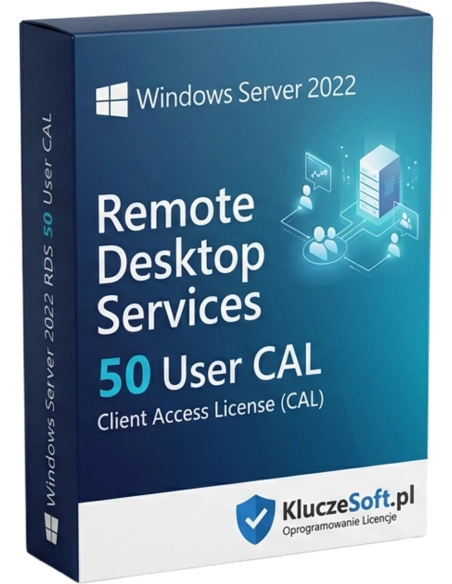




Microsoft Windows Server 2022 RDS (Remote Desktop Services) 50 User CAL is an essential solution for modern enterprises seeking to maximize the efficiency and security of their remote work. With this licence, up to 50 users can access server resources and applications from any location and device, opening up new opportunities for organisations of all sizes.
Pack of 50 per-user Remote Desktop Services licenses for Windows Server 2022
 50 RDS User CAL
  Instant delivery
  Perpetual license Remote Desktop
An RDS CAL (Remote Desktop Services Client Access License) is a dedicated license required to use Remote Desktop Services on Windows Server 2022. A standard Windows Server CAL only allows administrative access (2 RDP sessions). If more users need to work in remote desktop sessions simultaneously, for example to run an application on the server, each of them needs an RDS CAL. An RDS User CAL is assigned to a specific employee and allows access from an unlimited number of devices. This 50 RDS User CAL pack enables 50 employees to work remotely on the server at the same time.

Without an RDS CAL license key, using Remote Desktop Services for more than 2 administrators is not compliant with Microsoft licensing terms. This 50 User CAL pack provides full compliance for a mid-sized remote team.
RDS allows you to run business applications centrally on the server, including ERP, CRM, and accounting software. Users connect through a thin client or browser, with no need to install software on local computers.
With RDS, employees can use cheap thin clients instead of high-performance PCs. All computing power remains on the server, while client workstations only need a network connection and a display.
An RDS User CAL allows an employee to connect to a remote desktop session from any device, whether an office computer, home laptop, or tablet while travelling. The session follows the user, not the hardware.
 ️
️Data never leaves the server, users only see the screen image. If a laptop is stolen, company data remains protected because it is not stored locally. This is a fundamental advantage of the RDS architecture.

Updates, installations, and application configuration are all handled in one place on the server. Instead of updating 50 computers, you update one server. This saves IT administrator time and reduces the risk of errors.
Licensier offers original RDS CAL licenses at wholesale pricing, often up to 50% cheaper than official resellers. We know that an RDS license is often overlooked, yet it is a critical part of server infrastructure. Our team will help you choose the right number of RDS CALs and decide between User CAL and Device CAL. Please note: RDS CAL licenses are ADDITIONAL to standard Windows Server CALs, which means you need both types. We explain the difference clearly and help you optimize costs.
| Product | Windows Server 2022 Remote Desktop Services — 50 User CAL |
| License type | RDS User CAL (per-user Remote Desktop Services license) |
| Number of licenses in pack | 50 RDS User CAL |
| Windows Server version | Windows Server 2022 |
| Assignment | Assigned to a specific user (access from any device) |
| Additional requirements | Windows Server CAL (sold separately) + Windows Server 2022 license |
| License | Perpetual (lifetime) |
| Microsoft support | Mainstream until 2026, Extended until 2031 |
| Protocol | RDP (Remote Desktop Protocol) |
| Language | All language versions |
| Delivery method | Electronic — license key by email |
RDS User CAL is assigned to an employee, allowing them to connect to a remote desktop session from any device, such as a computer, laptop, tablet, or thin client. It is ideal for mobile employees and teams using hybrid work. RDS Device CAL is assigned to a device, allowing any number of users to connect from that device. It works best in shift-based environments and with thin clients shared by multiple employees. Important: RDS CAL licenses are SEPARATE from standard Windows Server CALs, so you need both types for every user or device using RDS.
Express electronic deliveryYou will receive your original license key by email within minutes of placing your order
A standard Windows Server CAL grants access to server services such as file sharing, printing, and Active Directory. An RDS CAL is an ADDITIONAL license required exclusively for Remote Desktop Services. You need both: a Windows Server CAL and an RDS CAL for every user using RDS.
50 RDS User CAL allows 50 named users to run remote desktop sessions at the same time. Each user may have an active session. The limit for simultaneous connections depends on server performance, including RAM and CPU, not on the license itself.
Yes, every RDS user must have both a Windows Server 2022 CAL for server access and an RDS CAL for Remote Desktop Services. These are two separate licensing products. Licensier offers both at attractive prices with instant delivery.
Yes, an RDS User CAL allows an employee to connect to a remote desktop session from an unlimited number of devices. They can disconnect from a session on a desktop computer and continue the same session later from a tablet or laptop.
Windows Server 2022 RDS CAL licenses also allow access to RDS on Windows Server 2022 and earlier versions, including 2019 and 2016. They work under downgrade rights, meaning the newer license covers older versions.
Yes, transfer is possible after 90 days from the last assignment. In the event of an employee leaving the company, transfer can be made immediately. Update your licensing records after each reassignment.
Yes, RDS User CAL licenses are perpetual. After a one-time purchase, there are no subscription fees or renewals. Your right to use Remote Desktop Services does not expire.
Yes, Licensier issues a VAT invoice for every order. It is available in the customer panel and sent by email. It serves as proof of legal license purchase for Microsoft audits.


Data sheet
Microsoft Windows Server 2022 RDS (Remote Desktop Services) 50 User CAL is an essential solution for modern enterprises seeking to maximize the efficiency and security of their remote work. With this licence, up to 50 users can access server resources and applications from any location and device, opening up new opportunities for organisations of all sizes.