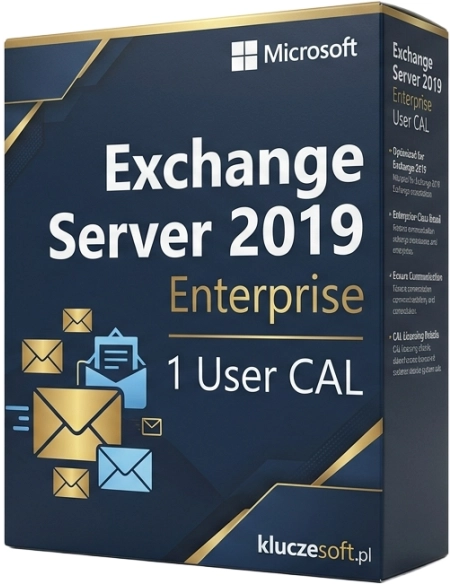

Exchange Server 2019 Enterprise — licenza CAL Enterprise per 1 utente. Numero illimitato di database delle cassette postali.
Exchange Server 2019 Enterprise User CAL è una licenza che amplia le funzionalità di Exchange Server 2019 con strumenti aziendali avanzati come archiviazione In-Place, protezione dalla perdita di dati (DLP), Unified Messaging e journaling evoluto. Ogni licenza User CAL consente a un utente nominativo di utilizzare queste funzionalità da un numero illimitato di dispositivi. Su Licensier acquista una chiave di licenza Microsoft originale con consegna istantanea via e-mail e supporto tecnico completo.
Exchange Server 2019 Enterprise User CAL è pensato per le organizzazioni che necessitano di funzionalità avanzate di conformità, archiviazione e protezione dei dati nella propria infrastruttura di posta elettronica. È la soluzione ideale per uffici legali che richiedono Legal Hold ed eDiscovery, aziende che trattano dati personali soggetti al GDPR, istituzioni finanziarie obbligate ad archiviare la corrispondenza e qualsiasi organizzazione che desideri implementare policy DLP per prevenire la fuoriuscita di informazioni riservate. La licenza User CAL è particolarmente economica quando i dipendenti utilizzano più dispositivi: un’unica chiave di licenza copre l’accesso da tutti.
Dopo aver effettuato l’ordine su Licensier, riceverà la chiave di licenza originale Microsoft Exchange Server 2019 Enterprise User CAL direttamente all’indirizzo e-mail indicato, generalmente entro 5 minuti dalla conferma del pagamento. Insieme alla chiave di licenza inviamo istruzioni dettagliate per l’attivazione. Il nostro team di supporto tecnico è disponibile 7 giorni su 7 per assisterLa nella configurazione della licenza sul server Exchange.
No. Enterprise CAL è un componente aggiuntivo (add-on) della Standard CAL, non un suo sostituto. Ogni utente necessita sia della Standard CAL sia della Enterprise CAL per poter utilizzare le funzionalità Enterprise. La Standard CAL fornisce l’accesso di base al server Exchange, mentre la Enterprise CAL sblocca le funzioni avanzate: archiviazione, DLP, Unified Messaging e journaling.
Qual è la differenza tra User CAL e Device CAL?User CAL è assegnata a uno specifico utente e gli consente di collegarsi al server Exchange da un numero illimitato di dispositivi. Device CAL è assegnata a un singolo dispositivo e permette a un numero illimitato di utenti di collegarsi da quel dispositivo. Se i dipendenti utilizzano più dispositivi, come computer, telefono e tablet, User CAL risulta più economica.
La licenza è perpetua?Sì. Exchange Server 2019 Enterprise User CAL è una licenza perpetua (perpetual). Paga una sola volta e può utilizzarla senza limiti di tempo. Non sono previsti costi di abbonamento né rinnovi annuali.
Serve una licenza separata per il server Exchange?Sì. La CAL (Client Access License) autorizza l’utente a collegarsi al server, ma il server stesso richiede una licenza Exchange Server 2019 separata. Sono necessarie: licenza server + Standard CAL + Enterprise CAL per ogni utente che utilizza le funzionalità Enterprise.
Come si attiva Enterprise CAL sul server?Enterprise CAL si attiva nella console Exchange Admin Center oppure tramite PowerShell. La chiave di licenza viene inserita a livello di server e successivamente la licenza viene assegnata ai singoli utenti. Le istruzioni dettagliate sono incluse nell’ordine. In caso di difficoltà, il nostro team di supporto La assisterà in ogni fase.

Scheda tecnica
Exchange Server 2019 Enterprise — licenza CAL Enterprise per 1 utente. Numero illimitato di database delle cassette postali.