- Currently out of stock
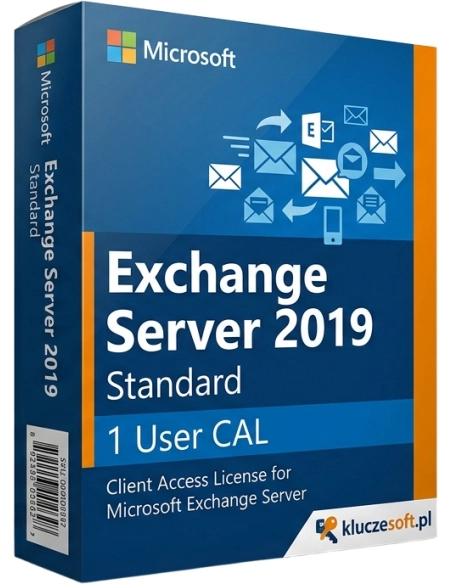

Exchange Server 2019 Standard — access license (CAL) for 1 user. Required for every Exchange user.
Exchange Server 2019 Standard — User CAL (Client Access License) is an access license that authorizes one named user to connect to a Microsoft Exchange Server 2019 Standard Edition server. Each employee using company email, calendars, contacts, and tasks hosted on Exchange requires a separate CAL. When you buy from Licensier.com, you receive an original license key by email within minutes for only €99, with no hidden fees and full technical support included.
User CAL is the optimal licensing model when employees use Exchange email on multiple devices at the same time, for example on an office PC, laptop, and phone. Instead of purchasing a separate license for each device, User CAL covers one user regardless of the number of devices used. This is the most common choice for businesses where employees have dedicated personal email accounts. If one device, such as a reception workstation, is shared by multiple employees, Device CAL is the better option.
After purchase from Licensier.com, you will receive an original Exchange Server 2019 Standard User CAL license key by email, usually within 5 minutes. The license is perpetual and entitles one named user to access Exchange Server 2019 Standard. You register the key in the Microsoft Volume Licensing Service Center (VLSC) or activate it according to your organization’s licensing procedure. If you have any questions about activation or configuration, our technical support team will assist you at every stage.
User CAL (per-user license) is assigned to a specific individual, and that user can connect to Exchange from any number of devices. Device CAL (per-device license) is assigned to a specific computer, and any number of users can access Exchange from that one device. User CAL is the better choice when an employee uses multiple devices. Device CAL is better when one device is shared by several employees.
Do I need a CAL in addition to the Exchange server license?Yes. An Exchange Server 2019 Standard server license allows you to install and run the server software. However, every user or device connecting to that server requires a separate CAL license. Without CAL licenses, the server license alone is not sufficient, as these are two separate parts of Microsoft licensing.
Can I use User CAL with Exchange 2016?Yes. Exchange 2019 CAL licenses are backward compatible with Exchange Server 2016 and 2013. You can buy newer CALs and use them in older environments. The reverse does not apply, as an Exchange 2016 CAL does not grant access to Exchange 2019.
How many CAL licenses do I need?With the User CAL model, you need one license for each employee who uses corporate Exchange email, regardless of how many devices they use to connect. If you have 20 employees with email accounts, you need 20 User CALs. New employees require additional licenses to be purchased.
Does this license require a Software Assurance subscription?No. The CAL license sold by Licensier.com is perpetual and does not require Software Assurance or any additional recurring fees. You pay once and use it without time limits.

Data sheet
Exchange Server 2019 Standard — access license (CAL) for 1 user. Required for every Exchange user.