- Currently out of stock
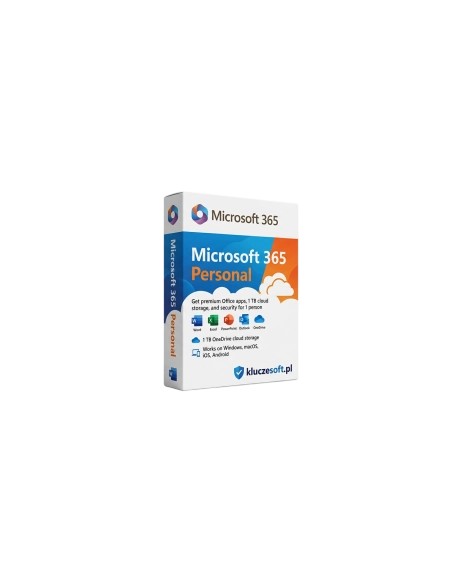





Microsoft 365 Personal is a subscription that allows you to use Office applications such as Word and Excel on one computer. It offers 1 TB of OneDrive storage and 60 minutes per month for Skype calls. Thanks to regular updates and advanced security features, it is ideal for individual users who need flexibility and efficiency.
12-month Office subscription with 1 TB OneDrive and the latest apps — for 1 person
 1 user
  ️ 1 TB OneDrive
  12 months
Microsoft 365 Personal is a 12-month subscription that gives you access to the latest versions of Word, Excel, PowerPoint, Outlook and OneNote across all your devices — PC, Mac, tablet and phone. It also includes 1 TB of OneDrive cloud storage, 60 Skype minutes per month, and advanced email security. Unlike one-time Office 2021/2024 licenses, an M365 subscription ensures you always get the newest features and updates. Buy today from Licensier and receive an original license with instant delivery.

The complete Office suite across all your devices — desktop, tablet and smartphone. Ideal for students, freelancers and private users.
️1 TB of OneDrive is enough for around 500,000 photos or 250,000 documents. Automatic sync between devices and access from anywhere.
New features, templates and AI tools (Microsoft Copilot) are added automatically. No need to buy a new Office version every few years.
Install Office on up to 5 devices at the same time — PC, Mac, iPhone, iPad, Android. Start a document on your computer and continue on your phone.
Automatic updates to the newest Office apps. New features, templates and AI tools are added every month at no extra cost.
️Your personal cloud for files, photos and documents. Automatic sync, file versioning, deleted file recovery and secure link sharing included.
Install the full Office suite on 5 devices: Windows, Mac, iOS and Android. Sign in with your Microsoft account and access your apps anywhere.
 ️
️Outlook email protection against phishing, attachment scanning and ransomware protection for OneDrive files. Recover files after a ransomware attack.

An AI assistant integrated with Office apps. Write content in Word, build formulas in Excel and generate presentations in PowerPoint with intelligent support.
60 monthly Skype minutes for calls to landlines and mobiles in more than 60 countries. Ideal for international calling.

Expanded Outlook.com email inbox with 50 GB of storage. Advanced spam filtering, focused inbox and email aliases included.
Advanced spelling and style checking in more than 20 languages. Grammar, clarity and style suggestions across Office apps and your browser.
Microsoft 365 Personal is the complete Office suite with 1 TB of OneDrive cloud storage and advanced security in one annual subscription. When you buy from Licensier, you receive a 12-month activation code at a cheap price — often lower than the official Microsoft store price — with instant delivery, an original license key and a VAT invoice.
Compared with a one-time Office 2024 Home & Student license (around €140-€190), M365 Personal costs around €70 per year and includes more: 1 TB OneDrive, Outlook, installation on 5 devices, AI tools and continuous updates. Over 2-3 years, the subscription may cost more, but you always keep access to the newest features.
Instant digital delivery — your activation code will be sent within minutes after payment, so you can start using Microsoft 365 right away.
| License type | 12-month subscription |
| Number of users | 1 person |
| Number of devices | Up to 5 at the same time (PC, Mac, tablet, phone) |
| Applications | Word, Excel, PowerPoint, Outlook, OneNote |
| OneDrive storage | 1 TB (1000 GB) |
| Outlook mailbox | 50 GB |
| Skype | 60 minutes/month to phones |
| Microsoft Copilot | Yes (integrated AI) |
| Platforms | Windows, macOS, iOS, Android |
| Language | Multilingual (including Polish) |
M365 Personal is a subscription for 1 person with 1 TB OneDrive and continuous updates. M365 Family supports up to 6 people, each with 1 TB OneDrive — a better value for 2+ users. Office 2024 (for example Home & Student) is a one-time purchase without OneDrive, without feature updates and without Outlook — cheaper long term, but without cloud benefits or AI tools. If you need OneDrive, the latest features and work across multiple devices, M365 is the better choice.
Your 12-month activation code will be delivered within minutes
M365 Personal is an annual subscription with continuous updates, 1 TB OneDrive, Outlook and installation on 5 devices. A one-time license such as Office 2024 is a single purchase without cloud storage, without feature updates and for 1 device only. M365 costs more per year, but it offers significantly more value.
When the subscription expires, the Office apps switch to read-only mode — you can open documents, but you cannot edit them. Your OneDrive files remain accessible for an additional period, but sync is paused. Renew your subscription to restore full functionality.
Yes, you can buy another activation code from Licensier and redeem it on your account. The subscription time stacks — for example, if you have 6 months left and activate a new 12-month code, you will have 18 months in total.
Yes, M365 Personal supports Windows, macOS, iOS and Android. You can install the full Office suite on Mac — Word, Excel, PowerPoint, Outlook and OneNote are optimized for macOS and Apple Silicon.
You can install the Office apps on an unlimited number of devices, but you can be signed in on a maximum of 5 devices at the same time. If you sign in on a 6th device, you will be asked to sign out from one of the previous ones.
M365 Personal includes basic Microsoft Copilot features integrated with Office apps. The full Copilot Pro version is available as a separate add-on for an additional fee.
1 TB (1000 GB) is a substantial amount of storage — enough for around 500,000 photos, 250,000 Office documents or hundreds of hours of video. For most users, this is more than enough for many years.
Yes, you can redeem the code on an existing Microsoft account. If you already have an active M365 subscription, the new time will be added to your current period, up to a maximum of 5 years.

 ️
️
Data sheet
Specific References
Microsoft 365 Personal is a subscription that allows you to use Office applications such as Word and Excel on one computer. It offers 1 TB of OneDrive storage and 60 minutes per month for Skype calls. Thanks to regular updates and advanced security features, it is ideal for individual users who need flexibility and efficiency.