- Out-of-Stock
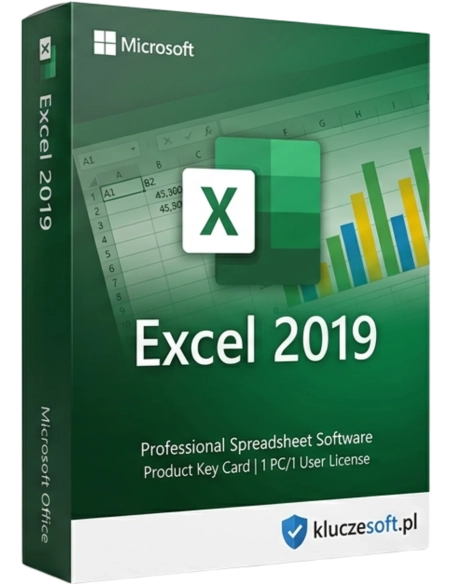




Microsoft Excel 2019 is not merely another classic Office application; it is a tool capable of transforming raw data into precise analyses and complex calculations into intuitive spreadsheets. What would modern office work look like without pivot tables, calculation functions, and advanced tools for managing databases?
Professional spreadsheets with a lifetime license — analyze data, create charts, and automate calculations
 Spreadsheets
  Lifetime license
  Instant delivery
Microsoft Excel 2019 is a standalone license for the world’s most powerful data analysis tool. If you only need Excel — without Word, PowerPoint, or Outlook — this original license is the ideal choice. PivotTables, charts, formulas, VBA macros, and dynamic arrays. Pay once for a lifetime license and use it without any time limits.

PivotTables, Power Query, advanced formulas, and data visualization. Professional analysis without additional software.
Budgets, balance sheets, financial statements, invoices, and settlements. Accounting formulas, currency formatting, and automatic totals.
Sales reports, project schedules, task lists, and dashboards. Charts and tables that present data clearly and professionally.
Household budgeting, expense planning, shopping lists, and price comparisons. Simple spreadsheets with ready-made templates for every occasion.
More than 400 built-in functions: VLOOKUP, SUMIFS, INDEX/MATCH, IFERROR, and many more. New dynamic arrays with XLOOKUP, FILTER, SORT, and UNIQUE.
Summarize millions of rows of data in seconds. Drag fields, filter, group, and analyze data without programming knowledge. PivotTables are essential for business analysis.
More than 20 chart types: column, line, pie, scatter, maps, funnel charts, and histograms. In-cell sparklines and conditional formatting with icons and data bars.
Automate repetitive tasks with macros and VBA scripts. Record macros or write your own code to automate reports, data imports, and complex calculations.

Import data from CSV files, databases, websites, and APIs. Transform, filter, and combine data from multiple sources in one place without programming.
Automatically color cells based on values — color scales, icons, data bars, and custom rules. Data becomes easy to read at a glance.
 ️
️Password encryption, locking cells against editing, hiding formulas, and protecting workbook structure. Share spreadsheets without the risk of accidental changes.
Export to PDF, CSV, and other formats. Full compatibility with XLSX files from older and newer versions of Excel. Open ODS files (LibreOffice) as well.
Licensier offers original Microsoft Excel 2019 license keys at the best price. You buy a standalone Excel license — with no need to purchase the full Office suite. If you only need spreadsheets, you save a significant amount.
Every license key comes from authorized Microsoft distribution channels, and you activate it directly on the Microsoft website. We guarantee successful activation or your money back.
Instant digital delivery — your license key is sent by email within minutes. Our technical support team will help with installation and activation.
| Product | Microsoft Excel 2019 |
| License type | Lifetime (one-time payment) |
| Number of devices | 1 PC |
| Platform | Windows 10 / Windows 11 |
| Architecture | 32-bit and 64-bit |
| Microsoft account | Required for activation |
| Disk space | Min. 4 GB free space |
| RAM | Min. 4 GB |
| Max. rows | 1,048,576 rows per worksheet |
| Language | Multilingual (including Polish) |
Excel 2019 as a standalone license is the best choice if you only need spreadsheets. It is cheaper than the full Office suite. If you also need Word and PowerPoint, consider Office 2021 Standard. Excel 2024 is a newer version with IMAGE, GROUPBY, PIVOTBY, and AI-ready features — but Excel 2019 still performs excellently for everyday data analysis and reporting.
You will receive your product key within minutes after payment confirmation
Yes, Excel 2019 includes full support for VBA macros — you can record macros, write scripts, and automate repetitive tasks. The VBA editor is built directly into the application.
Excel 2019 supports up to 1,048,576 rows and 16,384 columns per worksheet. That is more than one million rows of data in a single sheet — enough for most business use cases.
Yes, PivotTables are one of Excel’s core features. Summarize, filter, and analyze large data sets in just a few clicks. Excel 2019 also supports PivotCharts.
Yes, Excel 2019 comes with a perpetual license. You pay once and use it without any time limits. No monthly fees.
Yes, the XLSX format is compatible across all Excel versions. Files from Excel 2021 and 2024 open without issues. Some new functions may not be available, but the data remains fully readable.
Yes, Excel 2019 imports data from CSV, TXT, databases, websites, and many other sources. Power Query allows advanced transformation of imported data.
One activation key is intended for 1 PC. For additional workstations, you need separate licenses.
Yes, Excel 2019 is fully compatible with Windows 10 and Windows 11. It runs smoothly on both operating systems.
 ️
️
Data sheet
Microsoft Excel 2019 is not merely another classic Office application; it is a tool capable of transforming raw data into precise analyses and complex calculations into intuitive spreadsheets. What would modern office work look like without pivot tables, calculation functions, and advanced tools for managing databases?