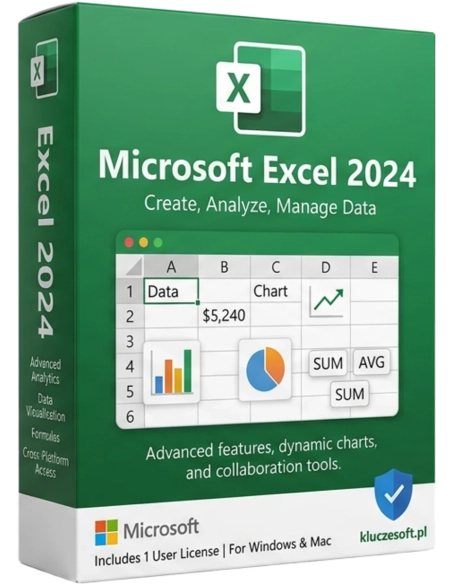




Microsoft Excel 2024 est la toute dernière version de l’outil incontournable pour travailler avec des feuilles de calcul, alliant des fonctionnalités avancées, une grande facilité d’utilisation et une intégration complète avec la suite Office 2024. Que vous analysiez des données, créiez des rapports ou planifiiez un budget, Excel 2024 vous offre tout ce dont vous avez besoin pour travailler plus rapidement, plus efficacement et depuis n’importe quel endroit.
Le tout dernier Excel avec des fonctions révolutionnaires — IMAGE, GROUPBY, PIVOTBY et compatibilité AI Copilot
 Dernière version 2024
  Compatible AI Copilot
  Livraison instantanée
Microsoft Excel 2024 représente la nouvelle génération de tableurs avec des fonctionnalités de pointe : IMAGE (images dans les cellules), GROUPBY et PIVOTBY (agrégation sans tableaux croisés dynamiques), nouveau type de données TEXT et compatibilité avec AI Copilot. Licence perpétuelle autonome — Excel uniquement, sans la suite Office complète. Mises à jour de sécurité jusqu’en 2029.

Les nouvelles fonctions GROUPBY et PIVOTBY remplacent les tableaux croisés dynamiques complexes. IMAGE insère des images depuis une URL directement dans les cellules. L’analyse de données passe à un niveau supérieur.
Modélisation financière avancée avec tableaux dynamiques, nouvelles fonctions d’agrégation et analyse des tendances assistée par l’IA. Des rapports générés en quelques minutes.

Un support de sécurité longue durée jusqu’en 2029. De nouvelles fonctions pour améliorer la productivité des équipes. Paiement unique au lieu d’un abonnement annuel.

Le tout dernier Excel pour les projets, analyses statistiques et travaux académiques. Les nouvelles fonctionnalités facilitent le travail sur les données, même sans expertise avancée.
Insérez des images directement dans les cellules à partir d’une URL. Créez des catalogues produits avec miniatures, des rapports avec logos d’entreprise et des tableaux de bord avec icônes — sans ajout manuel de visuels.
Agrégez vos données sans tableaux croisés dynamiques. GROUPBY regroupe selon une dimension, PIVOTBY selon deux. Les résultats s’affichent dans des tableaux dynamiques qui se mettent à jour automatiquement. Une avancée majeure pour l’analyse de données.

Excel 2024 est prêt pour Microsoft Copilot — l’IA qui aide à créer des formules, analyser les données, générer des graphiques et identifier des tendances à l’aide de commandes en langage naturel.
XLOOKUP, FILTER, SORT, UNIQUE, SEQUENCE et RANDARRAY — des fonctions puissantes qui étendent automatiquement les résultats sur plusieurs cellules. Excel 2024 va encore plus loin.
Plus de 20 types de graphiques avec mise en forme améliorée, nouvelles palettes de couleurs et meilleure réactivité. Sparkline, mise en forme conditionnelle et cartes thermiques.
Prise en charge complète des macros VBA et de Power Query pour l’automatisation et l’importation de données. Office Scripts pour une automatisation moderne dans le cloud.
Design modernisé avec mode sombre, angles arrondis et apparence contemporaine. Barre de formule améliorée avec saisie semi-automatique et suggestions optimisées.
Mises à jour de sécurité jusqu’en 2029. Le support le plus long parmi les versions Excel en licence perpétuelle. 5 ans de stabilité et de protection.
Licensier propose des clés de licence Microsoft Excel 2024 originales à prix pas cher. Cette licence Excel autonome constitue le meilleur choix pour les analystes, comptables et entreprises qui ont besoin uniquement d’un tableur performant.
Les nouvelles fonctions IMAGE, GROUPBY et PIVOTBY sont disponibles uniquement dans Excel 2024 — elles n’existent ni dans Excel 2019 ni dans 2021. Il s’agit d’une vraie évolution pour l’analyse de données. La licence perpétuelle supprime les coûts mensuels d’abonnement.
Livraison instantanée en version numérique — clé de licence envoyée par e-mail en quelques minutes. Garantie d’activation complète, support technique, licence originale et facture TTC.
| Produit | Microsoft Excel 2024 |
| Type de licence | Perpétuelle (paiement unique) |
| Nombre d’appareils | 1 PC |
| Plateforme | Windows 10 / Windows 11 |
| Architecture | 64 bits |
| Nb max. de lignes | 1 048 576 lignes par feuille |
| Nouvelles fonctions | IMAGE, GROUPBY, PIVOTBY, TEXT |
| Disque | Min. 4 Go d’espace libre |
| Support de sécurité | Jusqu’en 2029 |
| Langue | Multilingue (dont le polonais) |
Excel 2024 introduit des fonctions majeures indisponibles dans les anciennes versions : IMAGE (images dans les cellules depuis une URL), GROUPBY et PIVOTBY (agrégation sans tableaux croisés dynamiques), nouveau type de données TEXT, interface modernisée avec mode sombre et compatibilité AI Copilot. Excel 2019 reste une version éprouvée à un tarif plus bas, mais sans ces nouveautés. Si vous travaillez intensivement sur les données, Excel 2024 représente une véritable montée en gamme. Si vous avez aussi besoin de Word et PowerPoint, envisagez Office 2024 Standard.
Votre clé de produit vous sera envoyée quelques minutes après le paiement de votre commande
IMAGE est une nouvelle fonction qui insère une image depuis une URL directement dans une cellule. Exemple : =IMAGE("https://...logo.png"). Idéale pour les catalogues produits, les rapports avec miniatures et les tableaux de bord visuels.
GROUPBY regroupe les données selon une dimension et agrège les valeurs (somme, moyenne, nombre). PIVOTBY fait la même chose, mais sur deux dimensions — il remplace les tableaux croisés dynamiques simples avec une seule formule. Résultats affichés dans des tableaux dynamiques.
Oui, Excel 2024 prend entièrement en charge les macros VBA, Power Query et les nouveaux Office Scripts. Toutes les macros existantes des versions précédentes fonctionnent sans modification.
Oui, Excel 2024 est une licence perpétuelle avec support de sécurité jusqu’en 2029. Vous payez une seule fois — aucun abonnement mensuel.
Oui, le format XLSX est compatible entre les versions. Les fichiers créés avec Excel 2024 s’ouvrent dans 2019 et 2021, même si les nouvelles fonctions (IMAGE, GROUPBY) s’afficheront sous forme de valeurs statiques dans les anciennes versions.
Une clé est destinée à 1 PC. Pour des postes supplémentaires, vous avez besoin de licences séparées.
Oui, Excel 2024 est compatible avec Windows 10 comme avec Windows 11.
Si vous travaillez intensivement avec les données, oui, clairement. Les fonctions IMAGE, GROUPBY et PIVOTBY représentent une vraie avancée. Si vous utilisez Excel occasionnellement pour des feuilles simples, Excel 2019 peut encore suffire.

 ️
️
Fiche technique
Microsoft Excel 2024 est la toute dernière version de l’outil incontournable pour travailler avec des feuilles de calcul, alliant des fonctionnalités avancées, une grande facilité d’utilisation et une intégration complète avec la suite Office 2024. Que vous analysiez des données, créiez des rapports ou planifiiez un budget, Excel 2024 vous offre tout ce dont vous avez besoin pour travailler plus rapidement, plus efficacement et depuis n’importe quel endroit.