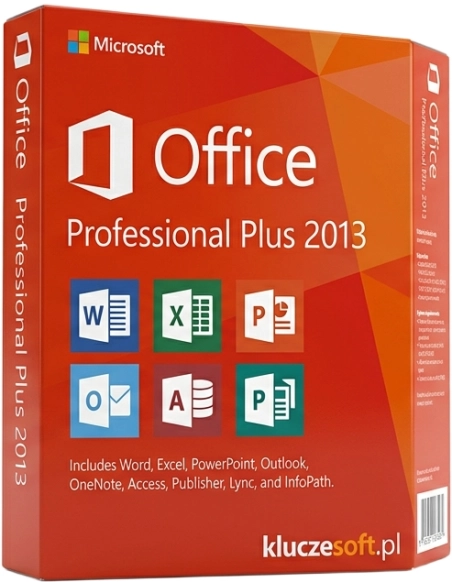



Office 2013 Professional Plus — suite Office completa: Word, Excel, PowerPoint, Outlook, Access, Publisher, OneNote.
Office 2013 Professional Plus è una suite Microsoft collaudata che continua a offrire prestazioni eccellenti su hardware meno recente e negli ambienti che richiedono piena compatibilità con le classiche macro VBA. Il pacchetto include tutte le applicazioni essenziali: Word, Excel, PowerPoint, Outlook, Access, Publisher e Lync. Acquistando su Licensier.it, riceve una chiave di licenza originale con consegna istantanea via e-mail, generalmente entro 5 minuti dalla conferma del pagamento. La licenza è perpetua, quindi prevede un unico pagamento senza abbonamenti o rinnovi.
Office 2013 Professional Plus è la scelta ideale per gli utenti che lavorano su computer meno recenti con Windows 7 o 8.1, dove le versioni più nuove di Office possono risultare più lente o non essere affatto supportate. È anche una soluzione perfetta per aziende e organizzazioni che utilizzano complessi fogli Excel con macro VBA o database Access sviluppati per una versione specifica del motore, dove la migrazione a una versione più recente di Office potrebbe richiedere costosi adattamenti del codice. Se desidera acquistare un pacchetto Office affidabile, economico e senza canoni mensili, e non ha necessità delle funzioni cloud più recenti, Office 2013 Professional Plus offre un eccellente rapporto qualità-prezzo a soli 39,00 €.
Dopo aver effettuato l’ordine su Licensier.it, riceverà la chiave di licenza originale di Microsoft Office 2013 Professional Plus all’indirizzo e-mail indicato, generalmente entro 5 minuti dalla conferma del pagamento. Insieme alla chiave di licenza, invieremo istruzioni dettagliate per scaricare il programma di installazione dal sito Microsoft e completare l’attivazione passo dopo passo. La licenza è perpetua ed è destinata a un solo computer. In caso di problemi durante l’attivazione, il nostro supporto tecnico è disponibile 7 giorni su 7. Offriamo inoltre una garanzia di rimborso di 14 giorni: se la chiave di licenza non funziona, rimborseremo l’intero importo. Sono disponibili metodi di pagamento come Klarna, SEPA e PayPal, con fattura IVA inclusa.
Microsoft non supporta ufficialmente Office 2013 su Windows 11. In pratica, installazione e attivazione avvengono correttamente sulla maggior parte delle configurazioni, anche se possono presentarsi piccoli problemi di compatibilità. Se utilizza Windows 11, consigliamo di valutare una versione più recente di Office.
Come scaricare il programma di installazione di Office 2013?Dopo l’acquisto, riceverà le istruzioni per scaricare il programma di installazione direttamente dal sito Microsoft. È sufficiente accedere al proprio account Microsoft, inserire la chiave di licenza e scaricare il file di installazione nella versione a 32 bit o 64 bit. L’intero processo richiede solo pochi minuti.
Si tratta di una licenza perpetua o di un abbonamento?Office 2013 Professional Plus è una licenza perpetua (perpetual). Paga una sola volta 39,00 € e utilizza la suite senza limiti di tempo. Non sono previsti costi mensili o annuali. L’unica differenza rispetto a Microsoft 365 in abbonamento è che non riceverà aggiornamenti automatici alle versioni più recenti.
Posso trasferire la licenza su un altro computer?La licenza di Office 2013 Professional Plus è associata a un solo dispositivo. Per trasferirla su un nuovo computer, occorre prima disinstallare il pacchetto dal vecchio dispositivo e poi installarlo su quello nuovo utilizzando la stessa chiave di licenza. In caso di problemi con la riattivazione, contatti il nostro supporto tecnico.
Office 2013 riceve ancora aggiornamenti?Microsoft ha terminato il supporto esteso per Office 2013 ad aprile 2023. Ciò significa che la suite non riceve più aggiornamenti di sicurezza né aggiornamenti funzionali. Le applicazioni continuano a funzionare correttamente, ma negli ambienti che richiedono il massimo livello di sicurezza è consigliabile valutare una versione più recente.

Scheda tecnica
Office 2013 Professional Plus — suite Office completa: Word, Excel, PowerPoint, Outlook, Access, Publisher, OneNote.