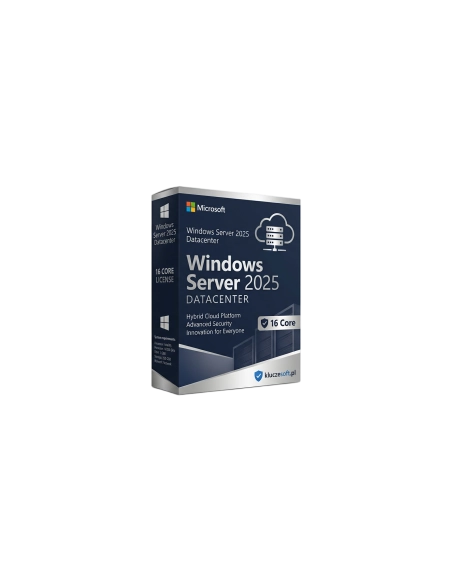




Licentie voor Microsoft Windows Server 2025 Datacenter voor 16 cores. Onbeperkte Hyper-V-virtualisatie, geavanceerde beveiliging, integratie met Azure. Directe levering van de sleutel per e-mail.
Microsoft Windows Server 2025 Datacenter (16 Core) is de meest geavanceerde editie van Microsofts serverbesturingssysteem, ontwikkeld voor grote datacenters, virtualisatieomgevingen en hybride cloudinfrastructuren. In tegenstelling tot de Standard-editie biedt Datacenter een onbeperkt aantal virtuele machines op één host, wat het de enige logische keuze maakt voor organisaties die intensief gebruikmaken van Hyper-V. In de webshop van Licensier.nl ontvangt u een originele licentiesleutel met directe levering per e-mail — zonder te wachten op een koerier en zonder fysieke dragers. De activatie duurt slechts enkele minuten en ons technisch supportteam is 24/7 beschikbaar als u hulp nodig heeft.
Windows Server 2025 Datacenter is bedoeld voor grote ondernemingen, hostingproviders, datacenteroperators en organisaties die intensief gebruikmaken van virtualisatie. Als uw infrastructuur vereist dat tientallen of zelfs honderden virtuele machines op één fysieke host draaien, dan is de Datacenter-editie de enige optie die dit zonder extra kosten mogelijk maakt. Het is ook de juiste keuze voor bedrijven die hypergeconvergeerde infrastructuur (HCI) bouwen met Storage Spaces Direct, software-defined networking (SDN) implementeren of integratie met Azure Arc in een hybride cloudmodel plannen. IT-beheerders, cloudarchitecten en DevOps-teams waarderen de geavanceerde beveiligingsfuncties, zoals Shielded VMs en Credential Guard, die kritieke workloads beschermen, zelfs wanneer een host wordt gecompromitteerd.
Na het plaatsen van uw bestelling in de webshop van Licensier.nl ontvangt u een originele Microsoft-licentiesleutel die direct per e-mail wordt verzonden naar het adres dat u bij de bestelling heeft opgegeven — doorgaans binnen 5 minuten na ontvangst van de betaling. De sleutel geeft recht op het downloaden van de officiële ISO-image van Windows Server 2025 Datacenter rechtstreeks vanaf de websites van Microsoft (Evaluation Center of Visual Studio Subscriptions). Samen met de licentiesleutel ontvangt u een duidelijke stap-voor-stap handleiding voor installatie en activatie. U heeft geen fysieke drager nodig — het volledige proces verloopt digitaal. Bij vragen of problemen met de activatie staat ons technisch supportteam 24 uur per dag, 7 dagen per week voor u klaar.
Het belangrijkste verschil is virtualisatie: de Datacenter-editie maakt het mogelijk om een onbeperkt aantal Windows Server-virtuele machines op een gelicentieerde host te draaien, terwijl Standard is beperkt tot maximaal 2 VM’s. Daarnaast biedt Datacenter exclusieve functies zoals Shielded Virtual Machines, Storage Spaces Direct, Software-Defined Networking (SDN) en volledige ondersteuning voor Azure Stack HCI. Als u meer dan 2 virtuele machines op één fysieke server wilt gebruiken, is Datacenter de enige rendabele keuze.
Hoe werkt licensering per core (16 cores)?De licentie voor Windows Server 2025 Datacenter dekt 16 fysieke processorkernen. Servers moeten worden gelicentieerd voor alle fysieke cores — minimaal 16 cores per server (of 8 cores per processor als de server 2 processors heeft). Heeft uw server meer dan 16 cores, dan moet u extra 2-core- of 16-core-licenties kopen om alle fysieke cores af te dekken. Een server met 2 processors van elk 12 cores (24 cores in totaal) vereist bijvoorbeeld twee 16-core-licenties of een passend aantal 2-core-licenties.
Heb ik aparte CAL-licenties nodig?Ja. Windows Server 2025 Datacenter vereist CAL-toegangslicenties (Client Access License) voor iedere gebruiker of elk apparaat dat verbinding maakt met de server. De serverlicentie die u koopt geeft recht op installatie en gebruik van het systeem, maar toegang voor clients vereist aparte User CAL’s (per gebruiker) of Device CAL’s (per apparaat). Deze CAL’s zijn afzonderlijk verkrijgbaar in onze webshop.
Wat is hotpatch en hoe schakel ik het in?Hotpatch is een technologie waarmee u kritieke beveiligingsupdates kunt installeren zonder de server opnieuw op te starten. De update wordt in het draaiende systeemgeheugen toegepast, zonder onderbreking van services en gebruikerssessies. Hotpatch vereist integratie met Azure Arc — de server moet in Azure Arc zijn geregistreerd en worden beheerd via Azure Update Manager. Na configuratie worden in aanmerking komende updates automatisch als hotpatches geïnstalleerd en zijn volledige herstarts slechts eenmaal per kwartaal nodig.
Hoe activeer ik de Windows Server 2025 Datacenter-sleutel?Na ontvangst van de sleutel per e-mail downloadt u de ISO-image van Windows Server 2025 via de website van Microsoft. Kies tijdens de installatie de Datacenter-editie (Desktop Experience of Server Core) en voer de licentiesleutel in wanneer de installatiewizard daarom vraagt. U kunt de sleutel ook na de installatie activeren: open de opdrachtprompt als administrator en voer slmgr /ipk UW-SLEUTEL in, gevolgd door slmgr /ato. Voor activatie is een internetverbinding vereist. Bij problemen kunt u contact opnemen met onze technische ondersteuning — wij helpen u in elke stap.

Datasheet
Licentie voor Microsoft Windows Server 2025 Datacenter voor 16 cores. Onbeperkte Hyper-V-virtualisatie, geavanceerde beveiliging, integratie met Azure. Directe levering van de sleutel per e-mail.