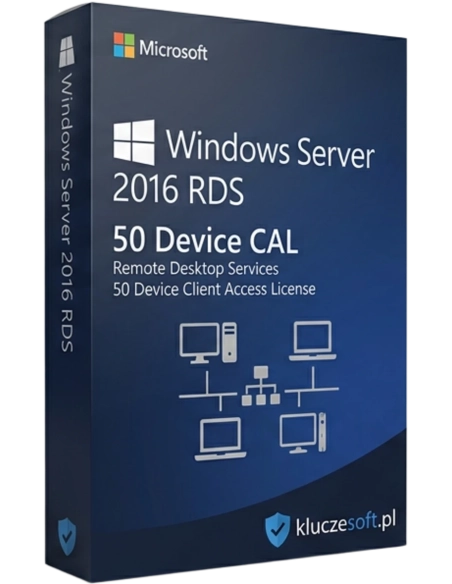



Microsoft Windows Server 2016 RDS 10 Device CAL è un pacchetto di licenze che consente l'accesso remoto al server Windows Server 2016 da un massimo di dieci dispositivi. Una soluzione ideale per le aziende che cercano flessibilità e un ambiente di lavoro sicuro ed efficiente.
Pacchetto da 10 licenze Remote Desktop per accesso da dispositivo (RDS CAL) per Windows Server 2016
 10 dispositivi
  Licenza perpetua
  Consegna istantanea
Windows Server 2016 RDS 10 Device CAL è un pacchetto di licenze Remote Desktop Services che consente a 10 dispositivi di utilizzare legalmente il Desktop remoto su Windows Server 2016. Le licenze RDS CAL sono richieste IN AGGIUNTA alle licenze CAL standard: ogni utente o dispositivo che si connette tramite Desktop remoto necessita sia della CAL standard sia della RDS CAL. Acquistare il pacchetto da 10 RDS CAL su Licensier significa ottenere un prezzo economico e competitivo sul mercato: risparmia sensibilmente rispetto ai prezzi retail Microsoft, garantendo al tempo stesso piena conformità di licenza per l’infrastruttura di accesso remoto.
La RDS CAL (Remote Desktop Services Client Access License) è una licenza Microsoft specifica richiesta per utilizzare legalmente i servizi Desktop remoto su Windows Server. Si tratta di una licenza aggiuntiva rispetto alla CAL standard. La Device CAL è assegnata al dispositivo, quindi può essere utilizzata da un numero illimitato di utenti su quello stesso dispositivo. Le RDS CAL sono indispensabili in qualsiasi ambiente in cui i dipendenti si connettano al server tramite Remote Desktop Protocol (RDP): lavoro da remoto, accesso ad applicazioni server, postazioni virtuali (VDI) o terminali thin client.

Ciascuno dei 10 dispositivi può essere utilizzato da un numero illimitato di utenti. È il modello ideale per postazioni condivise, turni di lavoro e chioschi informativi.
Le licenze originali RDS Device CAL garantiscono piena conformità durante gli audit di licenza. Consentono l’utilizzo legale dei servizi Desktop remoto (Remote Desktop Services) sul server da parte di un numero illimitato di utenti per ciascun dispositivo autorizzato.
Acquistare 10 licenze RDS Device CAL in un unico pacchetto permette di ottenere il miglior prezzo per singola unità. Doppio vantaggio economico: la Device CAL è più economica negli ambienti con turnazioni multiple.

La RDS CAL consente l’utilizzo legale del Desktop remoto: lavoro da casa, accesso ad applicazioni server, postazioni virtuali. È indispensabile nell’era del lavoro ibrido e a distanza.
Reception, terminali di magazzino, chioschi, postazioni di produzione: ovunque il dispositivo sia condiviso, la Device CAL rappresenta il modello più efficiente.
Consegna elettronica delle chiavi di licenza in pochi minuti dopo il pagamento. Regolarizzazione immediata dell’infrastruttura Remote Desktop Services senza attese né spedizioni fisiche.
Licensier è un rivenditore affidabile di licenze Microsoft in Europa, specializzato in software server e licenze di accesso client. Acquistando Windows Server 2016 RDS 10 Device CAL nel nostro store, riceve una chiave di licenza Microsoft originale a un prezzo fino al 60-70% più basso rispetto al listino ufficiale. Ogni acquisto è accompagnato da fattura IVA inclusa e le nostre licenze originali vengono verificate dai sistemi di licensing Microsoft, per offrirLe la massima tranquillità in termini di legalità e conformità.
I nostri clienti includono aziende di ogni dimensione, dai piccoli uffici alle grandi organizzazioni. Offriamo consulenza professionale sul licensing Windows Server, aiutiamo a scegliere il modello CAL più adatto (User o Device) e il numero corretto di licenze in base alle Sue esigenze. Il servizio clienti è disponibile in italiano e i tempi di risposta sono generalmente inferiori a un’ora durante l’orario lavorativo.
Grazie alla consegna istantanea in formato elettronico, le chiavi di licenza vengono inviate al Suo indirizzo e-mail nel giro di pochi minuti, senza attese né ritardi. Potrà attivare la licenza originale subito dopo l’acquisto e mettere immediatamente in regola l’intera infrastruttura server.
| Tipo di licenza | RDS Client Access License (RDS CAL) |
| Numero di CAL | 10 |
| Tipo di CAL | Dispositivo (Device CAL) |
| Compatibilità server | Windows Server 2016 e versioni precedenti |
| Attivazione | Chiave di licenza (online) |
| Lingua | Multilingua |
| Modalità di consegna | Elettronica (e-mail) |
| Validità | Senza scadenza (licenza perpetua) |
Riceverà le chiavi di licenza RDS CAL via e-mail entro pochi minuti dal pagamento
La RDS Device CAL (Remote Desktop Services Client Access License) è una licenza Microsoft che autorizza un dispositivo ad accedere legalmente ai servizi Desktop remoto (Remote Desktop Services) su un server Windows Server 2016. La Device CAL è assegnata al dispositivo, quindi può essere utilizzata da un numero illimitato di utenti su quello stesso dispositivo. Senza il numero adeguato di licenze CAL, l’utilizzo del server viola i termini di licenza Microsoft.
La User CAL è assegnata all’utente, che può connettersi al server da un numero illimitato di dispositivi. La Device CAL è assegnata al dispositivo, che può essere utilizzato da un numero illimitato di utenti. La User CAL è più adatta ai lavoratori mobili. La Device CAL è la scelta migliore per postazioni condivise e ambienti con turni di lavoro.
No. La RDS CAL è una licenza aggiuntiva richiesta IN AGGIUNTA alla licenza CAL standard di Windows Server. Ogni utente o dispositivo che si connette tramite Desktop remoto necessita sia di: (1) una CAL standard Windows Server 2016 sia di (2) una RDS CAL Windows Server 2016. Entrambe le licenze sono indispensabili per una piena conformità di licenza.
RDS (Remote Desktop Services) è una tecnologia Microsoft che consente di connettersi a un server da remoto e utilizzare le sue risorse come se l’utente fosse fisicamente davanti al server. Gli utilizzi più comuni includono: lavoro a distanza, accesso all’ambiente d’ufficio da casa, postazioni virtuali (VDI), pubblicazione di applicazioni server per gli utenti, terminali thin client nelle aziende e centralizzazione della gestione IT.
Le licenze RDS CAL per Windows Server 2016 sono compatibili in retrocompatibilità, quindi funzionano con server 2016 e versioni precedenti. Non sono compatibili con le versioni server più recenti. Se sta pianificando un aggiornamento del server, è necessario considerare il costo di nuove licenze CAL adatte alla versione di destinazione.
L’utilizzo di Windows Server senza un numero adeguato di licenze RDS CAL costituisce una violazione dei termini di licenza Microsoft. In caso di audit, ciò può comportare sanzioni economiche, l’obbligo di acquistare le licenze mancanti a prezzo di listino e possibili conseguenze legali. Mettersi in regola in anticipo è la scelta più sicura per qualsiasi azienda.
Sì, la Device CAL può essere trasferita su un altro dispositivo, ma non più di una volta ogni 90 giorni. Fa eccezione il guasto del dispositivo: in quel caso il trasferimento può avvenire immediatamente. L’aggiornamento richiede solo la modifica dell’assegnazione nello strumento di gestione licenze.
Sì, tutte le licenze offerte da Licensier sono prodotti Microsoft originali con chiavi di licenza ufficiali. Ogni acquisto è documentato con fattura IVA inclusa, offrendo un’ulteriore tutela in caso di audit di licenza. Le chiavi vengono verificate dai sistemi di licensing Microsoft.
 ️
️

Scheda tecnica
Microsoft Windows Server 2016 RDS 10 Device CAL è un pacchetto di licenze che consente l'accesso remoto al server Windows Server 2016 da un massimo di dieci dispositivi. Una soluzione ideale per le aziende che cercano flessibilità e un ambiente di lavoro sicuro ed efficiente.