- Obecnie brak na stanie
 Dostawa w 1 min
 100% Oryginalne
 TrustedShops 4.81 · 3 783 opinii



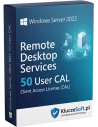
Microsoft Windows Server 2022 RDS (Remote Desktop Services) 10 User CAL to nowoczesne rozwiązanie umożliwiające zdalny dostęp do środowiska pracy serwera dla dziesięciu użytkowników. Jest to idealne rozwiązanie dla firm poszukujących efektywnego sposobu na zwiększenie mobilności swoich pracowników, zapewniając im bezpieczny dostęp do danych i aplikacji firmowych z dowolnego miejsca na świecie.
Pakiet 10 licencji Remote Desktop Services na użytkownika do Windows Server 2022
 10 RDS User CAL
  Natychmiastowa dostawa
  Licencja wieczysta Pulpit zdalny
RDS User CAL (Remote Desktop Services Client Access License) to dodatkowa licencja wymagana, gdy pracownicy korzystają z sesji pulpitu zdalnego na Windows Server 2022. Standardowe licencję Windows Server CAL pozwalają jedynie na 2 sesje administracyjne RDP. Aby 10 pracowników mogło jednocześnie pracować na serwerze przez pulpit zdalny — uruchamiać aplikacje, przeglądać dokumenty, korzystać z oprogramowania — każdy z nich potrzebuje licencji RDS User CAL. Pakiet 10 sztuk to idealny starter dla małego zespołu pracującego zdalnie.
10 RDS User CAL to minimalny pakiet, który legalizuje pulpit zdalny dla pierwszych pracowników. Idealny dla małych firm, oddziałów terenowych i zespołów projektowych rozpoczynających pracę zdalną na serwerze.
Zespół rośnie? Dokup kolejny pakiet 10 lub 50 RDS User CAL — nowe licencję dodajesz do serwera licencji RDS w kilka minut. Bez reinstalacji, bez przestojów, bez migracji.
Pakiet 10 RDS User CAL to najniższy próg finansowy do uruchomienia legalnego środowiska pulpitu zdalnego. Płacisz za to, czego faktycznie potrzebujesz — bez kupowania zapasu na przyszłość.
Każdy z 10 pracowników łączy się z sesją RDS z dowolnego urządzenia — laptopa w domu, komputera w biurze, tabletu w podróży. Sesja jest na serwerze, dostęp jest z wszędzie.
W architekturze RDS pliki i aplikację nie opuszczają serwera. Użytkownik widzi obraz ekranu, ale dane zostają w centrum danych. Zgubiony laptop nie oznacza utraconej bazy klientów.

Instalujesz oprogramowanie raz — na serwerze. Aktualizujesz raz — na serwerze. 10 użytkowników natychmiast korzysta z najnowszej wersji. Zero chodzenia od biurka do biurka z pendrivem.
Licensier rozumie potrzeby małych firm — oferujemy pakiety 10 RDS CAL w cenach hurtowych, aby nawet niewielki zespół mógł legalnie korzystać z pulpitu zdalnego. Nasi konsultanci pomogą zaplanować kompletne licencjonowanie: Windows Server + Server CAL + RDS CAL, abyś nie zapomniał o żadnym wymaganym elemencie. Ekspresowa dostawa elektroniczna i faktura VAT to standard każdego zamówienia.
| Produkt | Windows Server 2022 Remote Desktop Services — 10 User CAL |
| Typ licencji | RDS User CAL (licencja usług pulpitu zdalnego na użytkownika) |
| Liczba licencji w pakiecie | 10 RDS User CAL |
| Wersja Windows Server | Windows Server 2022 |
| Przypisanie | Do konkretnego użytkownika (dostęp z dowolnego urządzenia) |
| Wymagania dodatkowe | Windows Server CAL (osobno) + licencja Windows Server 2022 |
| Licencja | Wieczysta (bezterminowa) |
| Wsparcie Microsoft | Mainstream do 2026, Extended do 2031 |
| Protokół | RDP (Remote Desktop Protocol) |
| Język | Wszystkie wersję językowe |
| Forma dostawy | Elektroniczna — klucz licencyjny e-mail |
Przy małym pakiecie 10 licencji wybór ma duże znaczenie finansowe. RDS User CAL — idealny gdy 10 pracowników łączy się z RDS z różnych urządzeń (laptop, komputer, tablet). Jedna licencja = jeden pracownik = nieograniczona liczba urządzeń. RDS Device CAL — lepszy gdy 10 thin clientów jest współdzielonych przez więcej pracowników (np. 30 osób na 10 stanowiskach). Dla małego biura z 10 pracownikami, z których każdy ma komputer i laptopa: User CAL = 10 licencji, Device CAL = 20 licencji. User CAL jest tu dwukrotnie tańszy.
Ekspresowa dostawa elektronicznaKlucz licencyjny otrzymasz na e-mail w ciągu kilku minut od złożenia zamówienia
Nie, to dwa oddzielne produkty. Windows Server CAL uprawnia do dostępu do podstawowych usług serwera. RDS CAL jest DODATKOWĄ licencją wymaganą tylko do sesji pulpitu zdalnego. Potrzebujesz obu: Windows Server CAL + RDS CAL dla każdego użytkownika korzystającego z Remote Desktop.
Tak, w dowolnym momencie. Kolejne pakiety 10 lub 50 RDS User CAL instalujesz na tym samym serwerze licencji. Proces trwa kilka minut i nie wymaga restartu serwera ani przerwania sesji użytkowników.
10 RDS User CAL pozwala 10 nazwanym użytkownikom na jednoczesne sesje pulpitu zdalnego. Każdy użytkownik może mieć jedną aktywną sesję. Limit wydajnościowy zależy od zasobów serwera (RAM, CPU), nie od licencji.
Windows Server oferuje 2 bezpłatne sesje administracyjne RDP (do zarządzania serwerem). Ale jeśli użytkownicy mają pracować na serwerze — uruchamiać aplikacje, przeglądać pliki — każdy musi mieć RDS CAL. Bez licencji masz 120-dniowy okres próbny, po którym sesje przestaną działać.
Tak, użytkownik z RDS User CAL łączy się z sesją pulpitu zdalnego z dowolnego urządzenia. Może rozpocząć sesję na komputerze w biurze, rozłączyć się i kontynuować tę samą sesję z laptopa w domu.
Praktycznie dowolne — aplikację zainstalowane na serwerze są dostępne dla użytkowników sesji RDS. ERP, CRM, pakiet Office, aplikację branżowe, przeglądarki — wszystko co działa na Windows Server. Pamiętaj jednak o osobnych licencjach na te aplikację (np. Office).
Tak, licencję RDS User CAL są bezterminowe. Jednorazowy zakup, brak subskrypcji, brak rocznych opłat. Prawo do korzystania z usług pulpitu zdalnego nigdy nie wygasa.
Tak, faktura VAT jest wystawiana do każdego zamówienia w Licensier. Dokumentuje legalność nabycia licencji RDS na potrzeby księgowości i audytów licencyjnych Microsoft.


Opis
Znajdź odpowiedzi na częste pytania
Microsoft Windows Server 2022 RDS (Remote Desktop Services) 10 User CAL to nowoczesne rozwiązanie umożliwiające zdalny dostęp do środowiska pracy serwera dla dziesięciu użytkowników. Jest to idealne rozwiązanie dla firm poszukujących efektywnego sposobu na zwiększenie mobilności swoich pracowników, zapewniając im bezpieczny dostęp do danych i aplikacji firmowych z dowolnego miejsca na świecie.