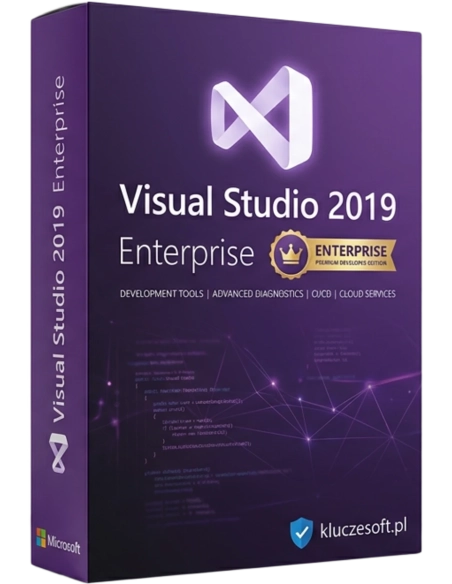




Microsoft Visual Studio 2019 Enterprise es la edición insignia del entorno de desarrollo de Microsoft, diseñada para responder a las necesidades de las grandes organizaciones y de los proyectos de desarrollo de software avanzados. Ofrece el conjunto más amplio de herramientas y funciones para respaldar todo el ciclo de vida de las aplicaciones, desde el diseño y la programación hasta las pruebas, la implementación y el mantenimiento. Visual Studio 2019 Enterprise es la opción ideal para los equipos de desarrollo que buscan la máxima eficiencia y calidad en la creación de software.
La edición más avanzada del IDE con IntelliTest, Live Unit Testing, Architecture Tools y Code Clone Detection
 IDE Enterprise
  IntelliTest + Live Testing
  Entrega inmediata
Visual Studio 2019 Enterprise es la edición más avanzada del IDE insignia de Microsoft, equipada con herramientas que la diferencian claramente de Professional: IntelliTest genera automáticamente pruebas unitarias, Live Unit Testing ejecuta tests tras cada edición del código, Code Clone Detection detecta código duplicado y Architecture Validation Tools comprueba la conformidad con el diseño arquitectónico. Para equipos de desarrollo que exigen la máxima calidad de código, pruebas automáticas y perfilado avanzado, Enterprise es la opción definitiva.
Generación automática de pruebas unitarias: IntelliTest analiza el código y crea conjuntos de pruebas con valores límite que cubren todas las rutas de ejecución. Detecta excepciones, referencias nulas y código inalcanzable. Genera pruebas claras en MSTest/NUnit que puede incorporar a la suite de testing del proyecto.
Pruebas unitarias ejecutadas automáticamente en segundo plano tras cada edición del código; los resultados aparecen en línea en el editor como indicadores verdes o rojos junto a cada línea. Feedback inmediato sobre el impacto de los cambios en las pruebas existentes. Compatible con MSTest, NUnit y xUnit. Reduce de forma drástica el ciclo de feedback en TDD.
Detección automática de código duplicado en toda la solución. Analiza similitudes semánticas, no solo copias exactas, y agrupa los clones en una vista interactiva. Ayuda a identificar candidatos para refactorización y elimina deuda técnica oculta, algo clave para mantener grandes bases de código.
Defina reglas arquitectónicas (dependency diagrams) y valídelas automáticamente durante la compilación. VS Enterprise comprueba si el código respeta las dependencias definidas entre capas; por ejemplo, si la UI no llama directamente a la DAL omitiendo la BLL. Evita la degradación de la arquitectura con el paso del tiempo.
Performance Profiler con análisis de CPU, memoria, I/O y GPU. Incluye .NET Object Allocation Tracking, Database I/O profiling, diagnósticos async y Events Viewer. Snapshot Debugger para perfilado en producción en Azure. Code Map visualiza dependencias y flujo de datos en sistemas complejos.

IntelliCode ampliado y entrenado con los patrones de su equipo: el modelo, entrenado con los repositorios de la organización, sugiere convenciones, nomenclaturas y patrones específicos del proyecto. Los modelos personalizados garantizan coherencia en el estilo de código en equipos grandes. Detección de anomalías y sugerencias de refactorización basadas en IA.
Depuración de aplicaciones en producción sin interrupciones: Snapshot Debugger captura una instantánea del estado de la aplicación en Azure App Service cuando se cumple la condición seleccionada. Analice variables, call stack y diagnósticos sin afectar al entorno productivo. Resuelve incidencias que no pueden reproducirse localmente.
Herramientas integradas para pruebas de carga (Web Performance and Load Testing) capaces de simular miles de usuarios. Coded UI Tests automatiza las pruebas de interfaz de usuario. Microsoft Fakes (Shims y Stubs) aísla el código para pruebas unitarias, incluso métodos estáticos y clases sealed.
Visual Studio 2019 Enterprise en Licensier supone un ahorro importante: licencia perpetua en lugar de una costosa suscripción anual. Enterprise es la edición más cara de VS, por eso el ahorro resulta especialmente significativo. Ofrecemos claves originales con garantía de activación y factura con IVA.
Enterprise es una inversión en calidad de código: IntelliTest, Live Unit Testing y Architecture Validation reducen de forma notable la cantidad de errores en producción. Para equipos que trabajan en aplicaciones críticas (finanzas, medicina, industria), estas herramientas no son un lujo, sino una necesidad. La compra única de una licencia perpetua es el modelo más rentable para un uso a largo plazo.
| Producto | Microsoft Visual Studio 2019 Enterprise |
| Tipo de licencia | Perpetua (perpetual) — per user |
| IntelliTest | Sí (generación automática de pruebas) |
| Live Unit Testing | Sí (real-time feedback) |
| Code Clone Detection | Sí |
| Architecture Validation | Sí (dependency diagrams) |
| Snapshot Debugger | Sí (Azure production) |
| Load Testing | Sí (Web Performance) |
| Microsoft Fakes | Sí (Shims + Stubs) |
| Lenguajes | C#, VB.NET, C++, F#, Python, JS/TS, SQL |
| Frameworks | .NET Framework, .NET Core, .NET 5, Xamarin, Blazor |
| Sistema operativo | Windows 10/11 (x64) |
| Formato de entrega | Electrónica: clave de producto por e-mail |
VS 2022 Enterprise es la versión de 64 bits compatible con .NET 6/7/8, Hot Reload para C++, IntelliCode mejorado y soporte nativo para ARM64. VS 2019 es compatible con .NET 5 y versiones anteriores. Si sus proyectos se basan en .NET Framework o .NET Core 3.1/.NET 5, VS 2019 Enterprise es totalmente suficiente y está disponible a un precio mucho más bajo. Para proyectos con .NET 6+ conviene valorar VS 2022. Las funciones Enterprise (IntelliTest, Live Unit Testing, Architecture Validation) están disponibles en ambas versiones.
Entrega electrónica inmediataRecibirá la clave de producto por e-mail en unos minutos tras la confirmación del pago
Enterprise añade: IntelliTest (generación automática de pruebas), Live Unit Testing (pruebas en segundo plano tras cada edición), Code Clone Detection (detección de duplicados), Architecture Validation (validación de dependencias), Snapshot Debugger (depuración en producción en Azure), Microsoft Fakes (aislamiento para testing), Load Testing (pruebas de carga) y perfilado avanzado con Code Map.
La licencia es per-user (por usuario). Un desarrollador puede instalar VS Enterprise en varios dispositivos (sobremesa, portátil, VM), pero la licencia no puede compartirse entre distintas personas. Para un equipo de 5 desarrolladores necesita 5 licencias Enterprise.
Haga clic con el botón derecho sobre un método → “Run IntelliTest". VS Enterprise analiza automáticamente las rutas de ejecución, genera valores de entrada, incluidos valores límite y null, y crea pruebas que cubren todas las ramas. Los resultados aparecen en una vista tabular con las pruebas generadas, que puede guardar en el proyecto de testing. Compatible con .NET Framework y .NET Core.
No de forma perceptible: Live Unit Testing funciona de forma inteligente, ejecutando solo las pruebas afectadas por el cambio, no toda la suite. Utiliza un algoritmo de impact analysis para minimizar la carga. Puede excluir las pruebas lentas, como las de integración, y limitarlo a pruebas unitarias rápidas. Incluye un límite configurable de procesos de testing en paralelo.
Sí. Snapshot Debugger permite establecer snappoints y logpoints en aplicaciones que se ejecutan en Azure App Service. Cuando se cumple una condición, VS captura una instantánea del estado, incluidas variables y call stack, sin detener la aplicación. Puede analizar la instantánea offline. Sin impacto en el rendimiento de producción. Requiere Azure App Service.
Sí. Incluye compatibilidad nativa con Docker mediante Dockerfile, docker-compose y orquestación multicontenedor. Permite depurar aplicaciones dentro de contenedores, tanto Linux como Windows containers, usar la ventana Container Tools y publicar en Azure Container Registry / AKS. También ofrece soporte para Docker Compose en Solution Explorer.
Mínimo: Windows 10/11 x64, procesador de 1.8 GHz (recomendado quad-core o superior), 4 GB de RAM (recomendados 16 GB o más para Enterprise con Live Unit Testing), 20-50 GB de disco según los workloads instalados, pantalla 1280x720 (recomendado 1920x1080). Un SSD acelera de forma notable el arranque del IDE y la compilación de proyectos.
Sí. La licencia Enterprise incluye el derecho de uso de software Microsoft exclusivamente con fines de testing (dev/test licensing). Esto abarca Windows Server, SQL Server y otros productos Microsoft en entornos no productivos. Supone un ahorro considerable para equipos que necesitan infraestructura de pruebas.

 ️
️
Ficha técnica
Referencias específicas
Microsoft Visual Studio 2019 Enterprise es la edición insignia del entorno de desarrollo de Microsoft, diseñada para responder a las necesidades de las grandes organizaciones y de los proyectos de desarrollo de software avanzados. Ofrece el conjunto más amplio de herramientas y funciones para respaldar todo el ciclo de vida de las aplicaciones, desde el diseño y la programación hasta las pruebas, la implementación y el mantenimiento. Visual Studio 2019 Enterprise es la opción ideal para los equipos de desarrollo que buscan la máxima eficiencia y calidad en la creación de software.